
Before You Contact Support
To help us diagnose your issue on the first reply, please include the following information in your message:
1. App version number
Open the Dubbing AI app and go to My → Settings and Others, then scroll to the bottom of the page to see the version number.
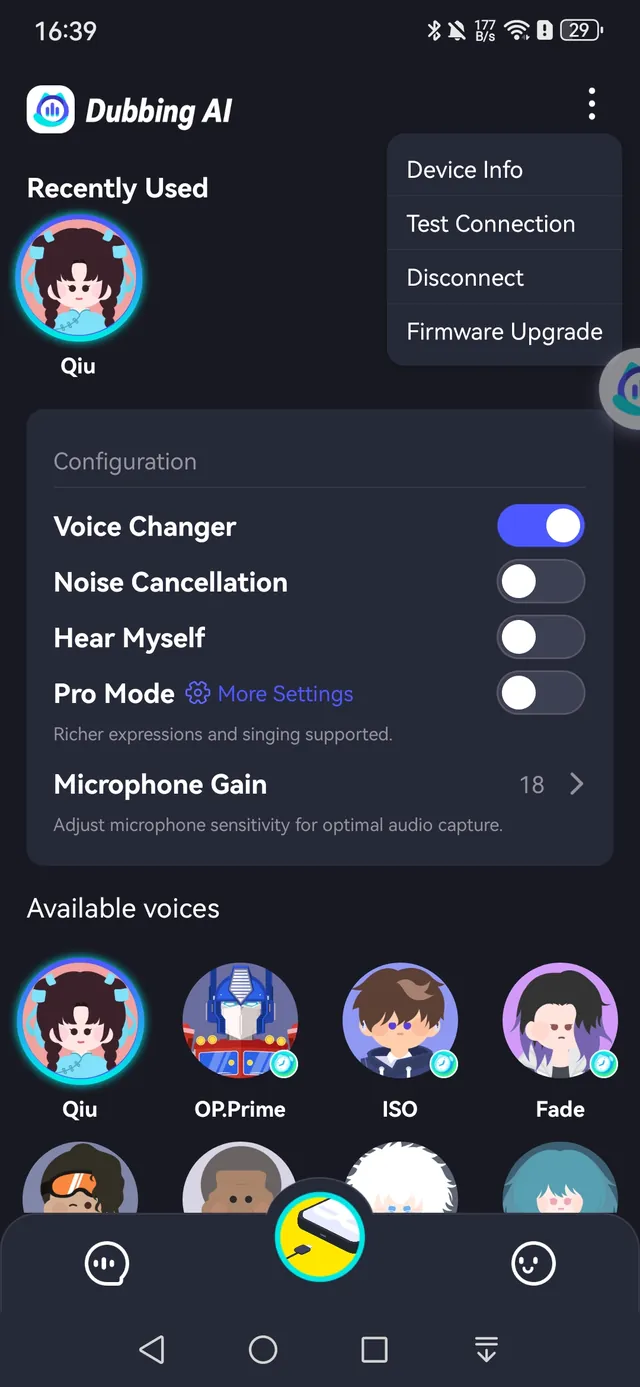
2. Firmware SN code & version
With the earbuds connected, tap the three dots in the top-right corner of the earbuds mode page to expand more options, then tap Device Info. The SN code and firmware version are listed there.
3. Phone model & OS version
Tell us which phone you are using and which system version it runs (for example, Android 14 or iOS 18).
Send everything to support@dubbingai.io, or reach us on our official Discord channel.