
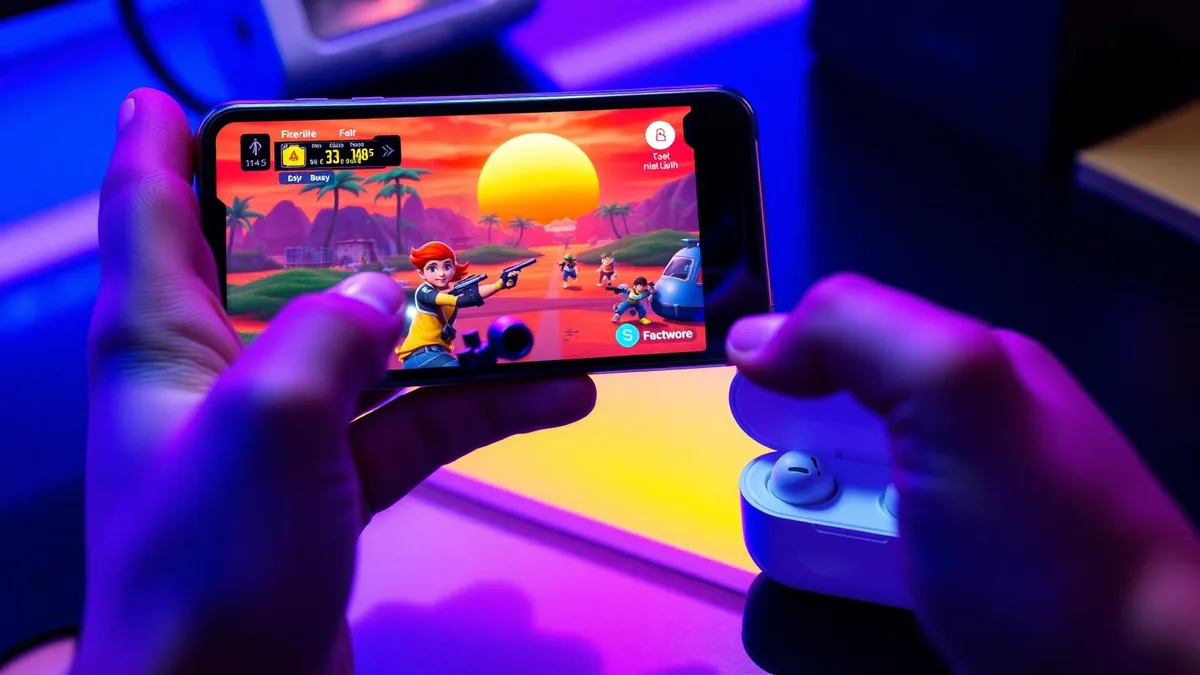
Free Fire is the fastest-paced battle royale on mobile. Fifty players, a shrinking zone, and a match that wraps up in roughly ten minutes. Squad chat carries the whole thing — drop calls, enemy pings, the last-circle scramble. It is also why so many players go hunting for a Free Fire voice changer and come back with nothing that actually works in a live match.
Most guides you will find were written for PC emulators, where a changer installs a virtual microphone and you point the emulator at it. The mobile game has no such menu. There is a mic toggle, and that is the entire interface. We build voice changing earbuds, so this article ends with our product — but the mechanism and the numbers come first, so you can judge the approach before you judge the brand.
The scenario: Free Fire squad chat on a phone
Picture the normal case. You are on Android or iOS, thumbs on glass, queued into a Battle Royale or a best-of-seven Clash Squad round. Voice chat is on — either the in-game squad channel or a Discord call running alongside it. In every mode, the audio path is identical.
Free Fire requests microphone permission and reads the system input device. There is no microphone selector in the settings menu, and nothing inside the game applies effects to your voice. So the change has to happen earlier in the chain, before the destination reads its microphone input hands the audio to the game.
If the voice isn't already changed by the time it reaches the operating system, Free Fire will never hear the change. Everything else is just a clip you can share afterwards.
That one rule explains almost every one-star review of a mobile voice changer app. The apps usually work exactly as designed — they just cannot become the microphone another app is using. The same wall shows up in our Fortnite mobile voice chat guide, because it is an operating system rule, not a game-specific one.
Why voice changer apps miss Free Fire voice chat
When you unmute in a match, the game asks Android or iOS for microphone input and gets the raw signal from whichever mic is currently active. Neither operating system lets an ordinary app intercept that stream, process it, and hand the result to a different app.
- Sandboxing — an app can only touch the audio it recorded itself. It cannot sit between Free Fire and the microphone.
- No virtual mic on mobile — unlike Windows, Android and iOS give third-party apps no way to register a fake input device system-wide.
- Recorder-only apps — most "voice changers" on the stores record you, apply an effect, and export a file. Fun for clips, useless mid-match.
- Root and jailbreak workarounds — a few tools claim to patch the audio stack, but they need a modified OS, break with updates, and can trip anti-cheat checks. Not worth it for a voice effect.
That is why the question is really "how to change your voice in Free Fire" at the hardware level, not "which app should I install."
How the earbuds reach the in-game microphone
Voice changing earbuds take the opposite route. Instead of fighting the phone's sandbox, they return phone-processed audio through the USB-C input. Your voice goes into the earbud microphone, gets converted in the Dubbing AI app on the phone, and the phone receives an already-changed signal over the USB-C microphone input — the same channel any headset uses.
From the operating system's point of view, nothing unusual is happening. A Bluetooth headset is the active microphone, and Free Fire dutifully reads it. That is the whole trick: Dubbing AI Voice Changing Earbuds convert before the destination reads its microphone input, so there is nothing for the sandbox to block. As of September 2026 the earbuds run at around 300 ms latency with a library of 500+ voices, on both Android and iOS.
The current Earbuds connection and processing requirements
The Earbuds use wired USB-C audio and have no internal battery. Dubbing AI runs the voice model on the phone, sends the processed sound to the earbuds, and receives it back through USB-C microphone input. The app must remain running and the phone online throughout use. The app's device connection is separate from ordinary Bluetooth headset audio pairing.
Setting up before your first match
- 1Plug the USB-C earbuds into your phone, open Dubbing AI and complete the connection. Keep the app running and your phone online.
- 2Open the companion app, sign in, and activate the earbuds — the voice library and conversion engine live there.
- 3Browse the library and pick one voice as your match default. Save a second one you can switch to between rounds.
- 4Do a ten-second self-test: record a voice note with the earbuds connected and confirm you hear the changed voice, not your raw one.
- 5Launch Free Fire, join squad chat, and talk. The game hears exactly what the self-test recorded.
One honest note: Bluetooth audio and in-game voice chat already fight over bandwidth, so keep Dubbing AI updated and running, the phone online and the USB-C connection secure. App interruptions, network loss and phone load should all be checked if the voice becomes unstable.
Voices that land in a Free Fire match
Free Fire is faster and more chaotic than a long-form battle royale, which changes what a good voice sounds like. You want something teammates parse instantly in a ten-second firefight, not a slow dramatic monologue.
- A clear, calm default — a steady low or mid voice for shot-calling. In a ten-minute match, the team that hears clean callouts wins more than the team with the funniest voice.
- Character-style voices for roleplay — with 500+ voices in the library as of September 2026, you can lean into a persona that matches your favorite character. Running an energetic hero voice while you play Kelly, or a smooth veteran tone for an Alok main, turns every match into light roleplay.
- A comic-relief voice for the lobby — save the dramatic villain or chipmunk for the pre-drop lobby and the winner's screen, then swap back before the plane.
- A final-zone voice — some players keep one distinct voice purely for the last circle, so clutch calls never get confused with lobby chatter.
If you play the longer, slower battle royale format too, the same logic scales up — our PUBG Mobile voice guide covers callout pacing for twenty-five-minute matches.
What 300 ms feels like in a 10-minute match
Every real-time changer adds some processing delay. The earbuds sit at around 300 ms as of September 2026 — roughly a third of a second between speaking and your squad hearing it. In a game this fast, where that delay lands matters more than the number itself.
| Match phase | Typical talk | How 300 ms feels |
|---|---|---|
| Lobby & drop (~1 min) | Banter, drop calls, plan | Invisible — conversation pace is relaxed |
| Looting (~3–4 min) | "Rifle here", "I need meds" | Unnoticeable — callouts are not time-critical |
| Mid-game fights | "Two pushing left", "I'm down" | Fine if you lead with location before details |
| Final zone (~1 min) | Short bursts: "smoke", "one HP", "now" | Speak in short commands; leave a beat before expecting a reply |
The practical habit: in the final circle, lead with the word that matters most — "left", "low", "now" — and let the rest follow. Short bursts also hide the latency completely, because a 300 ms tail on a two-word callout is nothing.
Squad chat, guild chat and Discord
The changed audio can reach Free Fire through its active USB-C microphone input while Dubbing AI remains running and the phone online. Test Battle Royale, Clash Squad, guild rooms and any separate Discord call individually. Switching channels or apps can change routing; do not treat one successful monitoring test as verification of every channel.
If your squad coordinates on Discord while playing, you get one changed voice everywhere instead of different setups per app. We cover the Discord side — including server voice channels and stage etiquette — in our Discord mobile voice changer guide.
Playing fair with a changed voice
A changed voice is cosmetic, like a skin or an emote. It does not touch game data, and it is not what anti-cheat systems look for. The line to respect is social, not technical: do not use a voice to impersonate a real person, a teammate's friend, or a minor to deceive strangers, and drop the bit when someone asks you to stop.
Used that way, a voice change is the same kind of fun as picking a wild character skin — it changes how the match feels, not how it plays.
Change your voice in your next Free Fire match
Dubbing AI Voice Changing Earbuds process your voice on the phone and return it through the USB-C earbuds, before your phone hears it — 500+ voices, ~300 ms latency, works on Android and iOS with no PC, root or jailbreak.
Buy Dubbing EarbudsFrequently asked questions
Dubbing AI Team
Hardware & Voice AI
We build real-time voice changing hardware for gaming, streaming and calls.