
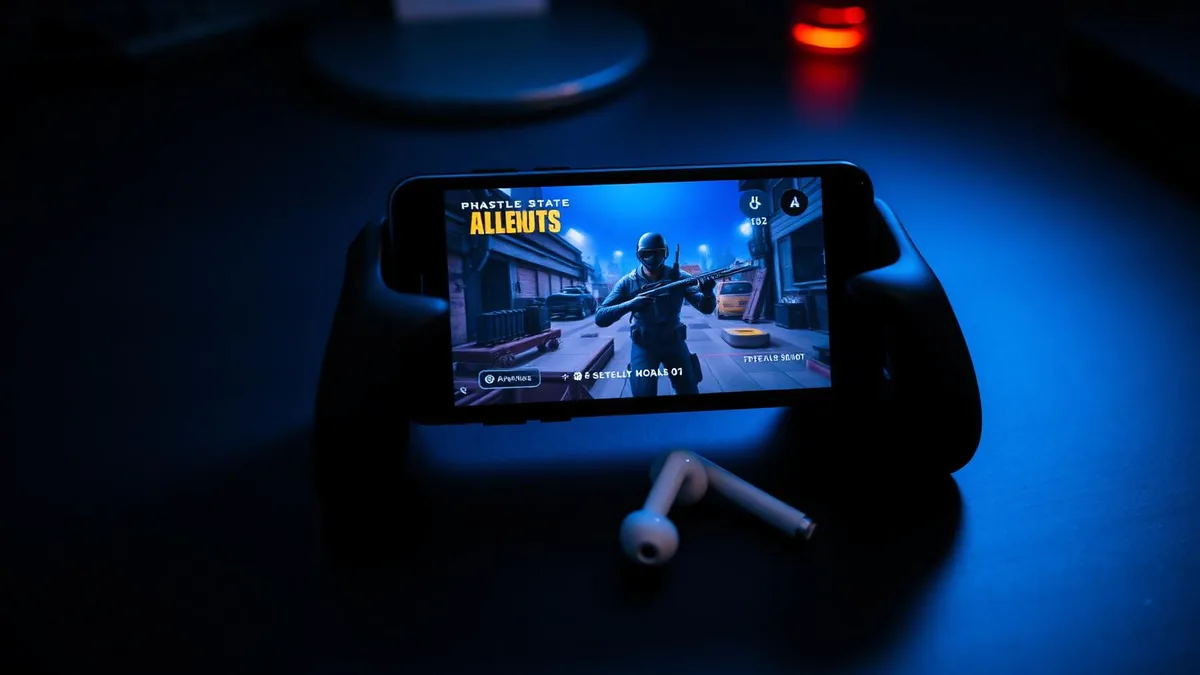
A PUBG Mobile match is long, quiet and then suddenly loud. Squad chat carries the whole thing — drop calls, rotations, the panicked "he's behind the rock" that decides a firefight. It is also why so many players go looking for a voice changer and come back empty-handed.
Most guides you find were written for the PC version, where a changer installs a virtual microphone and you point the game at it. PUBG Mobile has no such menu. There is a mic toggle, and that is the whole interface. We build voice changing earbuds, so this article ends with our product — but it lays out the mechanism and the numbers first, so you can judge the approach before you judge the brand.
The scenario: PUBG Mobile squad chat on a phone
Picture the normal case. You are on Android or iOS, running touch controls or a controller grip, queued into a Classic Battle Royale that can run twenty-plus minutes. Voice chat is on, whether through the in-game squad channel or a Discord party running alongside it. The audio path is the same in every mode.
PUBG Mobile requests microphone permission and reads the system input device. There is no microphone picker in the settings menu, and nothing inside the game applies effects to your voice. So the change has to happen earlier in the chain, before the phone hands the audio over.
If the voice isn't already changed by the time it reaches the operating system, PUBG Mobile will never hear the change. Everything else is just a clip you can share afterwards.
That single rule explains almost every disappointed review of a mobile voice changer app. The apps usually work exactly as designed — they just can't become the microphone another app is using. The same wall shows up in our Fortnite mobile voice chat guide, because it's an operating system rule, not a game-specific one.
Why voice changer apps miss PUBG Mobile chat
When you unmute in a match, the game asks Android or iOS for microphone input and gets the raw signal from whichever mic is currently active. Neither operating system lets an ordinary app intercept that stream, process it, and hand the result to a different app.
That restriction explains almost every failed setup. It is not that the changer app is bad — it is that the audio it produces has nowhere to go. Here is how the common routes shake out:
- Recorded clips — you export a processed file and share it later. Your live voice is untouched.
- In-app playback — you hear the character voice; your squad hears you.
- Cloud conversion — high quality per clip, but built for editing, not for a firefight.
- Emulator on PC — works, but changes how you play, your matchmaking pool and your account rules.
- In-line hardware — conversion happens before the phone gets the audio, so every app reading the mic gets the converted voice.
How the earbuds reach the in-game microphone
The Dubbing AI Voice Changing Earbuds move the conversion off the phone entirely. The earbud mic picks up your voice, the hardware converts it, and the phone receives audio that is already changed. As far as the game is concerned, nothing unusual happened.
That is why there is nothing to configure in the game itself. The same conversion also applies to a Discord call running alongside the match, and to a normal phone call afterwards. Nothing is set up per game, so moving between PUBG Mobile and other apps changes nothing.
Setting up before you drop in
- 1Charge the earbuds and pair them with your phone over Bluetooth.
- 2Install the companion app and let it detect the earbuds.
- 3Pick a voice and speak a line to hear it monitored back to you.
- 4Open PUBG Mobile and set voice chat as you normally would.
- 5Queue a casual match and make a couple of callouts before trusting it in ranked.
Voices that land in a Battle Royale
A 500+ voice library reads like a spec sheet number until you are twenty minutes into a match and the novelty voice has become unbearable. Range matters more than count, and a Battle Royale rewards a voice you can live with for a long session.
- Keep one grounded, low-pitched operator-style voice as your default for long Classic runs.
- Save the heavily processed character voices for the lobby and the drop, not for ranked callouts.
- Prefer voices that stay intelligible when you get loud — PUBG makes people shout in the final circle.
- Match a voice to a character skin for fun: a deep commander suits a soldier loadout, a higher register suits a lighter cosmetic.
- Re-check the fit of your ear tips; a poor seal changes how the source mic hears you.
What 300 ms feels like across a PUBG match
Latency is the number that decides whether a voice changer survives a shooter. Roughly 300 ms is a third of a second between you speaking and a teammate hearing you (as of August 2026). A PUBG match has distinct phases, and the delay lands differently in each.
| Match phase | Effect at ~300 ms |
|---|---|
| Lobby and pre-drop planning | No noticeable impact |
| Looting and rotating | Slight pause; reads as a deliberate speaking style |
| Mid-fight enemy callout | Say the position first, the detail second |
| Final circle, rapid calls | Occasional overlap; wait a beat before replying |
The practical adjustment is small: lead with the information that decays fastest. "Two pushing red roof" survives a third of a second. "He's going to flank — no wait, he's at the —" does not. Long place names like the ones on Erangel or Sanhok are better broken into a direction plus a landmark.
Proximity chat, squad chat and Discord
PUBG Mobile runs two in-game voice channels — squad chat with your team, and proximity chat with nearby players. Because the earbuds convert before the phone, both get the changed voice without any per-channel setting. The same applies to a Discord party running alongside the match, the same setup we describe for changing your voice in Discord mobile.
| Channel | Hears the changed voice | Extra setup |
|---|---|---|
| Squad chat (in-game) | Yes — reads the system mic | None |
| Proximity chat (in-game) | Yes — same system mic | None |
| Discord party (alongside) | Yes — same converted audio | None |
| Recorded clip / highlight export | No — recorded from your raw mic unless you route through the earbuds | n/a |
Playing fair with a changed voice
Using a character voice for roleplay, privacy or fun is ordinary. Using it to impersonate a specific real person, to misrepresent your age, or to keep going after a teammate asks you to stop is where lobbies and moderators draw the line.
A voice changer that sits in your audio chain is not a game modification — it never touches the game client or its files, in the same way a headset does not. Even so, the same conduct rules apply to what you say through it as to your normal voice, and harassment gets reported either way. If you want the same conversion at a desk or console setup instead of on a phone, the Dubbing Box covers that path — it pairs with a Bluetooth headset and is set up from an Android device.
Change your voice in every match, with nothing to configure
Real-time conversion in the earbuds themselves: around 300 ms of latency, a 500+ voice library, and the same behaviour on Android and iOS.
Buy Dubbing EarbudsFrequently asked questions
Dubbing AI Team
Hardware & Voice AI
We build real-time voice changing hardware for gaming, streaming and calls.