
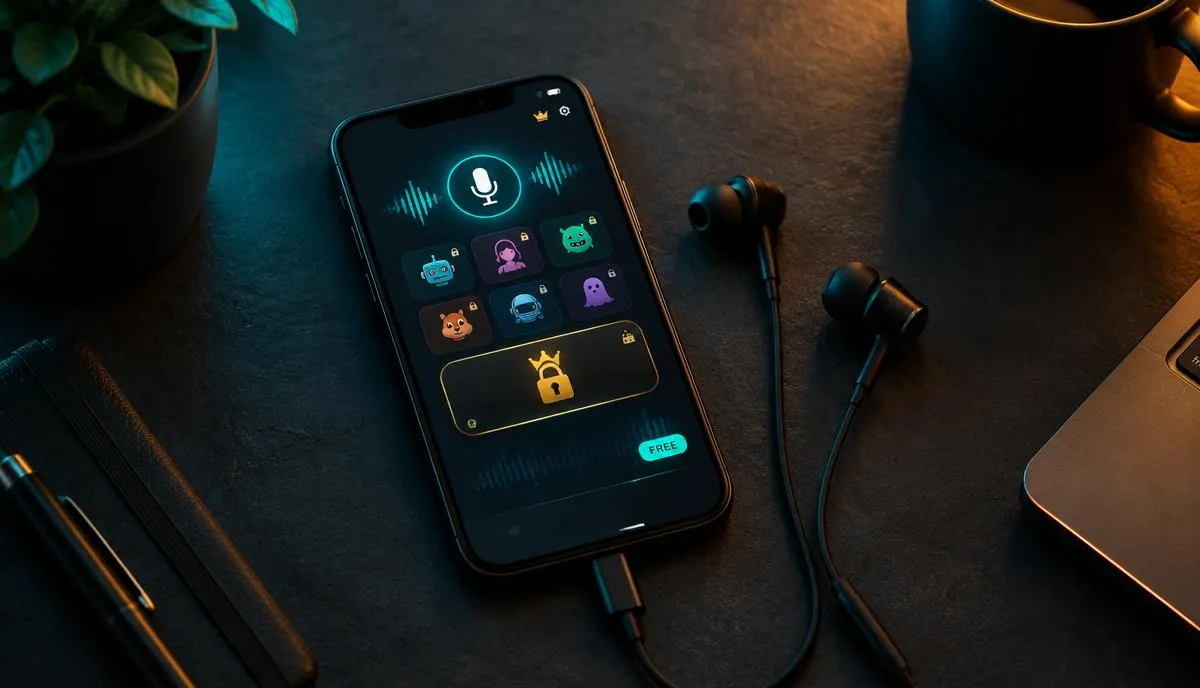
Search for a free voice changer on your phone and you get hundreds of results. Many look free in the store listing, then ask for a subscription the first time you tap the voice you wanted. That gap between expectation and reality is where most frustration starts.
This guide explains what free really means for mobile voice changers, what you can do without paying, and where the limits usually appear. It is written for iPhone and Android users who want to try voice changing before spending anything.
What free usually means in a voice changer app
Very few voice changer apps are completely free with no strings. Most fall into one of a few business models, and knowing which one you are looking at saves time. The store label free to download only tells you there is no upfront charge.
- Freemium: a handful of basic voices are always free, while premium voices and features need a subscription.
- Free trial: full access for a limited period, after which the app asks you to subscribe or drops back to a free tier.
- Ad-supported: most features are open, but ads play between actions or before you can save a clip.
- Unlock by watching: individual voices or exports unlock temporarily after you watch an ad.
These models are often combined. An app may offer a trial, show ads on the free tier and lock its most popular voices. None of this is unfair in itself, but it changes what free means in practice.
What you can actually do for free
Free tiers are most generous with recorded audio. You record a short message, pick an effect such as robot, chipmunk or deep voice, and play it back. Most apps let you share that clip to messaging apps or save it, sometimes with a watermark or length limit.
Good free use cases
- Sending a funny voice message to friends in a chat app.
- Testing how different voice styles sound before choosing a paid option.
- Making short clips for social posts where a basic effect is enough.
- Trying classic effects like echo, pitch shift and robot on your own recordings.
If this is all you need, a free app may never require payment. Our explainer on whether voice changer apps actually work on phones covers why recording-based effects are the easiest thing for a phone to handle.
Where free stops: the common paywalls
Limits usually appear when you move from recordings to live voice, or from basic effects to realistic character voices. Live voice changing asks more of the app, the phone and often the service behind it, so it is the feature most likely to be paid.
| Feature | Typical free tier | Typical trial | Typical paid plan |
|---|---|---|---|
| Recorded clips with basic effects | Usually available | Available | Available |
| Realistic AI or character voices | A few, or none | Usually available | Full library |
| Real-time voice in calls or games | Rare or limited | Often available | Usually available |
| Clip length and exports | Short limit, possible watermark | Fewer limits | Fewer or no limits |
| Ads | Common | Sometimes | Usually removed |
This table describes common patterns, not any single app. Always open the app's subscription screen before relying on a feature, because limits change between versions and regions.
A useful rule: if the feature you want works only inside the app, free is often fine. If it must work inside another app, such as a call or game, expect a limit.
The hidden costs of free voice changer apps
Free apps still ask for something in return. A voice changer always needs microphone access, which is reasonable. Requests for contacts, precise location or broad storage access are worth questioning when the app only changes your voice.
- Privacy: check the store's privacy section to see what data is collected and whether it is linked to you.
- Data use: AI voice apps often process audio online, which uses mobile data during each session.
- Battery and heat: real-time effects keep the microphone and processor busy, especially on older phones.
- Lag: free tiers on busy servers may respond more slowly, which matters for live conversation.
- Accidental renewals: trials can convert to a paid plan automatically if you forget to cancel.
Our comparison of voice changer apps on the App Store walks through how to read privacy labels and subscription terms before you install anything.
When paying is worth it, and when it is not
The decision rarely depends on price alone. It depends on how often you need live voice and how much reliability matters to you. Use this quick checklist before you upgrade anything.
- 1Do you only send clips or voice messages? Stay on a free tier.
- 2Do you want a changed voice in calls, Discord or mobile game chat? A paid or trial tier is usually needed.
- 3Do you play or stream several times a week? Reliability and lower delay start to justify the cost.
- 4Do you need specific character or realistic voices? Check whether they are inside the free library first.
- 5Can you cancel easily? Set a reminder the day you start any trial.
If most of your answers point to recordings, keep your money. If they point to live voice, a short trial is the smartest first step because it shows you the real experience before any commitment.
Free options inside Dubbing AI
Dubbing AI is a mobile voice changer app with a large voice library, and it is the first place we suggest starting. You can install the app and explore voices before deciding whether you need more. Premium features follow the app's current subscription terms.
For live voice on a phone, Dubbing AI Voice Changing Earbuds add a dedicated wired path. Each purchase includes a free 7-day Premium trial plus 20% off, so you can test premium voices without a separate subscription first.
The Earbuds use wired USB-C audio and have no internal battery. Dubbing AI runs the voice model on the phone, sends the processed sound to the earbuds, and receives it back through USB-C microphone input. The app must remain running and the phone online throughout use. The app's device connection is separate from ordinary Bluetooth headset audio pairing.
Try premium voices free for 7 days
Dubbing Earbuds come with a 7-day Premium trial and 20% off. Wired USB-C audio, 500+ voices and about 300 ms delay, depending on phone performance.
Buy Dubbing EarbudsGetting the most from free before you pay
Start with recordings to learn which voice styles you like. Then use a trial for live voice during a real session, not a quiet test. That way the free period answers the only question that matters: does it work for the way you actually play or talk?
Frequently asked questions
Dubbing AI Team
Hardware & Voice AI
We build real-time voice changing hardware for gaming, streaming and calls.