
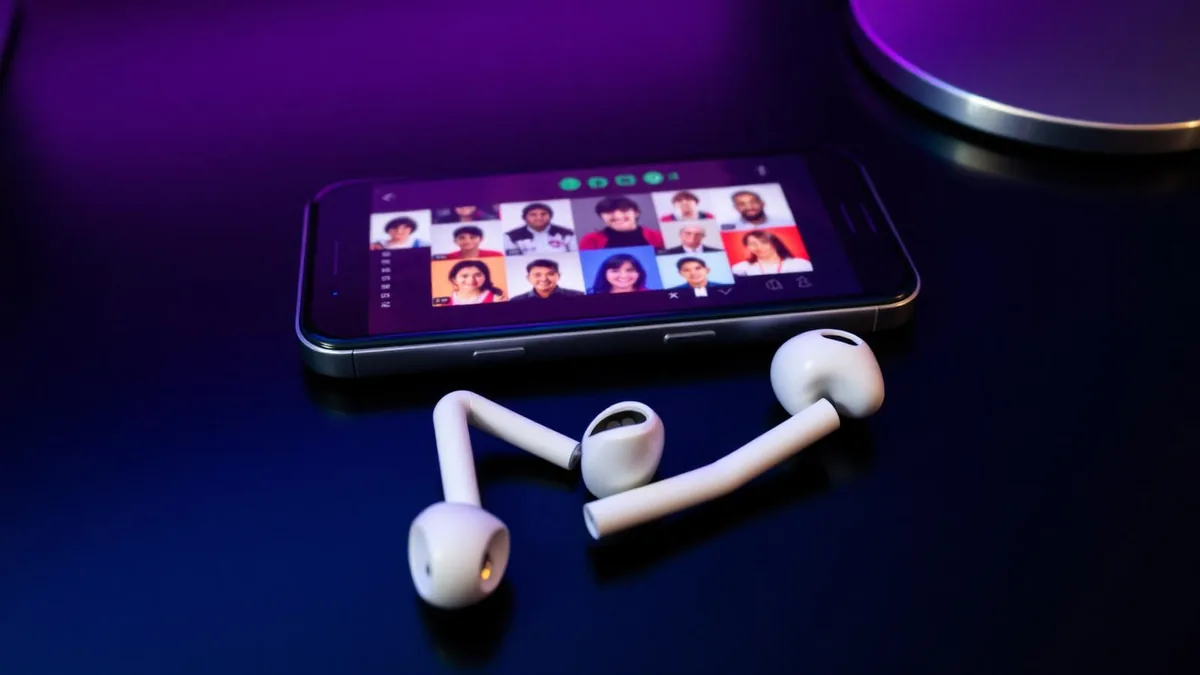
Plato is a chat app first and a games app second. You sit in a group with friends or strangers, someone starts Uno or Sea Battle, and the voice room runs underneath the whole session. That is exactly the setting where a character voice is fun — and exactly the setting where most mobile voice changers quietly fail.
We build voice changing earbuds, so this article ends with our product. It starts with the mechanism, because the reason app-based changers don't reach Plato has nothing to do with which app you picked.
What Plato actually asks your phone for
When you join a Plato voice room, the app requests microphone permission and reads the system input device. There is no audio settings page with an input dropdown, no effects rack, no way to point the app at a processed stream. It takes the current mic and sends what it hears.
Android and iOS both refuse to let an ordinary app intercept that stream, process it, and hand the result to a different app. So any change has to happen earlier in the chain — before the phone hands the audio over.
If the voice isn't already changed by the time it reaches the operating system, Plato will never hear it. Everything downstream is a recording you can share afterwards.
This is a platform rule, not a Plato quirk. The same wall shows up in every mobile voice chat, which is why changing your voice in Discord on mobile runs into an identical problem.
The traditional methods, and what each one costs
Before hardware conversion existed, people worked around the sandbox in four ways. All of them function; they just trade away something you probably wanted.
Recorded clips you send into the room
You record a line, run it through a changer, export the file and drop it into chat. Quality can be excellent because nothing is real time. But it is not a conversation — you cannot react to a card someone just played, and by the time the clip lands the moment has passed.
Speaker loopback (holding one phone to another)
Play the changed voice out of a speaker and let the Plato mic pick it up. This does work live, and it is free. It also picks up room noise, drops your volume, adds a hollow re-recorded texture, and forces you to juggle two devices while playing a game with the same hands.
A PC with a virtual microphone
The desktop route is the reliable one: install a changer, create a virtual mic, point your chat app at it. It sounds good and it is genuinely real time. It also means you are at a desk, and Plato is an app people mostly open on a couch, a bus or a bed.
External sound card and cable rigs
A small mixer or sound card plugged into the phone can convert before the input. It works, but you are now carrying hardware plus adapters, and modern phones make the wiring worse rather than better. It is a streaming setup wearing a mobile costume.
| Method | Live in the room? | Portable? | Setup burden |
|---|---|---|---|
| Dubbing AI Voice Changing Earbuds | Yes | Yes | Pair once, pick a voice |
| Recorded clips | No — playback only | Yes | Low, but breaks the conversation |
| Speaker loopback | Yes, with noise and volume loss | Awkward — two devices | Low |
| PC + virtual mic | Yes | No — tied to a desk | High |
| Sound card rig | Yes | Barely — cables and adapters | High |
Converting before the phone hears you
The Dubbing AI Voice Changing Earbuds move the processing off the phone entirely. The earbud mic captures your voice, the hardware converts it, and the phone receives audio that is already changed. Plato asks for the system microphone, gets the converted signal, and behaves exactly as it always has.
That is why there is nothing to configure inside Plato. Nothing is set per app either, so the same voice carries into a WhatsApp call or a game room in another app without a second setup pass.
Getting into a Plato room with a new voice
- 1Charge the earbuds and pair them with your phone over Bluetooth.
- 2Install the companion app and let it detect the earbuds.
- 3Pick a voice and speak a line to hear it monitored back to you.
- 4Open Plato, join a group and enter the voice room as usual.
- 5Say something short first — a greeting is enough to check how the voice reads to others.
Picking voices that suit a Plato group
A 500+ voice library is a spec-sheet number until you are an hour into a game night. What matters is range: something you can hold a conversation in, plus a few characters for the moments that deserve them.
- Keep one natural-sounding voice as your default for long sessions with the same group.
- Save the heavy character voices for reactions — losing a round, a dramatic Uno draw four.
- Avoid voices that lose intelligibility when you laugh; Plato rooms are loud and overlapping.
- In rooms with strangers, a changed voice is a reasonable privacy layer — pick something plain rather than attention-grabbing.
- Switch voices between games so the joke does not wear out inside one session.
What roughly 300 ms feels like in group chat
Latency of about 300 ms means a third of a second between you speaking and the room hearing you (as of August 2026). Plato is forgiving here — most of what happens in these rooms is conversation, not split-second callouts.
| Moment in a Plato session | Effect at ~300 ms |
|---|---|
| General group chat | Not noticeable |
| Turn-based games — Uno, Ludo, Sea Battle | No impact; the game sets the pace |
| Fast interruptions and jokes | Occasional overlap; leave a small gap |
| Word games with a timer | Start speaking a beat earlier than instinct says |
The adjustment is a habit, not a workaround: leave a slightly longer pause before jumping in. Most people stop noticing within a session.
Using a changed voice fairly in public rooms
Roleplay, privacy and comedy are ordinary reasons to change how you sound. Impersonating a specific real person, misrepresenting your age, or continuing after someone in the room asks you to stop is where moderation draws the line — and Plato's rules apply to what you say regardless of the filter on it.
A hardware changer is not an app modification. It never touches Plato's client or its traffic, the same way a headset does not. If you would rather run the same conversion through a headset at a desk or console setup, the Dubbing Box covers that path — it pairs with a Bluetooth headset and is set up from an Android device.
Bring a new voice into every Plato room
Real-time conversion inside the earbuds: around 300 ms of latency, a 500+ voice library, and identical behaviour on Android and iOS.
Buy Dubbing EarbudsFrequently asked questions
Dubbing AI Team
Hardware & Voice AI
We build real-time voice changing hardware for gaming, streaming and calls.