
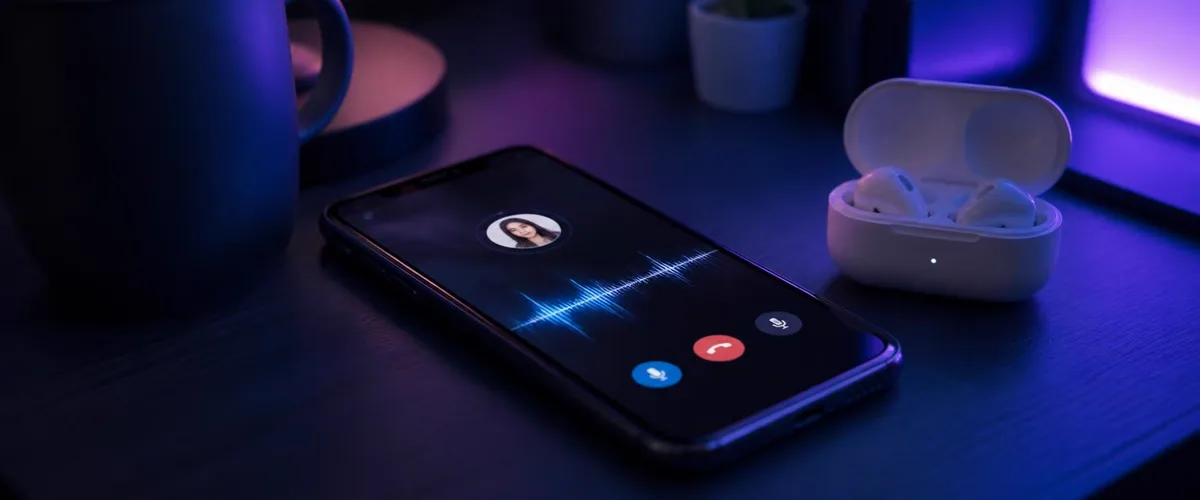
Messenger is where a huge share of casual calls happen — family check-ins, group chats that turn into voice rooms, late-night calls with friends. It is also one of the most common places people try, and fail, to get a voice changer working.
The failure is not your fault and not a settings problem. It is structural: the way mobile operating systems handle microphone audio makes app-based voice changers invisible to Messenger. This article explains why, then walks through the one approach that does reach the call.
We make voice changing hardware, so that approach ends with our product. The reasoning and the numbers come first, so you can judge the mechanism before the brand.
Why voice changer apps stay silent on Messenger
When a Messenger call starts, the app asks Android or iOS for microphone input and gets the raw signal from the active mic. Neither operating system lets one app intercept another app's audio, modify it, and hand it back. That is a deliberate security boundary, not a missing feature.
So what a mobile voice changer app can do is limited to its own sandbox:
- Record you and apply an effect to a saved clip you then share as a voice message.
- Play the changed voice back inside the changer app, where only you hear it.
- Route a call through its own service — which a Messenger call is not.
Recorded clips are the loophole: a changed voice message works, because you are sending a file, not live audio. But the moment you are on a live voice or video call, the effect you hear in the changer app stays in the changer app. The same wall exists on WhatsApp calls and every other calling app on the phone.
What actually reaches a Messenger call
There is one way past the sandbox: change the audio before the destination reads its microphone input. If the microphone signal itself already carries the new voice, Messenger receives it the same way it receives your normal voice — microphone permission and input verification still apply, Dubbing AI must stay running and online, and the input still needs verification.
That is what in-line hardware does. Dubbing AI Voice Changing Earbuds convert your voice in the Dubbing AI app on the phone and pass the result to the phone as ordinary microphone audio. As of September 2026, the pipeline runs at roughly 300 ms of added latency with a library of 500+ voices, on both Android and iOS.
The current Earbuds connection and processing requirements
The Earbuds use wired USB-C audio and have no internal battery. Dubbing AI runs the voice model on the phone, sends the processed sound to the earbuds, and receives it back through USB-C microphone input. The app must remain running and the phone online throughout use. The app's device connection is separate from ordinary Bluetooth headset audio pairing.
| Approach | Live Messenger calls | Voice messages | Setup inside Messenger |
|---|---|---|---|
| Dubbing AI Earbuds (in-line hardware) | Yes | Yes | USB-C; Dubbing AI running and online |
| Mobile voice changer app | No | Clips only | None possible |
| Soundboard played near the mic | Audibly re-recorded | Yes, low quality | None |
| PC voice changer + virtual mic | No — needs a desktop client | No | No input picker on mobile |
The pattern is the same one we measured across every calling app: if the conversion happens in software on the phone, it cannot cross into another app's call. For the cross-platform version of this test, see do voice changer apps actually work on phones.
Setting up for a Messenger call
The notable thing about the hardware route is what is missing: there is no audio menu in Messenger, no input picker, nothing to configure. The call behaves exactly as it always does.
- 1Connect the USB-C earbuds to your phone and open Dubbing AI. Keep the app running and the phone online.
- 2Pick a voice in the app and speak a line to hear it monitored back.
- 3Make a one-minute test call to a friend or a second account and listen to how you land.
- 4Open Messenger and start a voice or video call as normal — the other side hears the converted voice.
- 5Switch voices from the companion app mid-call whenever you want.
Step 3 is the one people skip and should not. A 300 ms round trip is easy to talk through, but it rewards a slightly more deliberate rhythm — finish your sentence, give the other person a beat, then respond. Thirty seconds of practice removes the awkwardness.
Picking a voice that survives a long call
- Choose a voice close to your natural pitch for calls longer than a few minutes; extreme shifts tire you out first.
- Keep one heavy character voice for short bits rather than the whole call.
- Test with the ear tips you actually wear — a loose seal makes the source mic hear you differently.
- Match the voice to the relationship: what lands in a friend group reads very differently on a family call.
Change your voice on Messenger calls with nothing to configure
Dubbing AI Voice Changing Earbuds convert your voice before the destination app reads its microphone input — around 300 ms latency, 500+ voices, Android and iOS.
Get the EarbudsVideo calls, group calls and the edge cases
Because the phone only ever sees converted microphone audio, everything built on top of that audio inherits the effect. Voice calls, video calls and group rooms all behave the same — the video side is untouched, only your voice changes.
Two edge cases are worth knowing. First, if you switch audio output mid-call to the phone speaker, the mic path usually stays on the earbuds, but re-check with a quick "can you still hear the voice?" before committing. Second, battery: a long group call plus real-time conversion drains faster than a normal call, so start a planned session above half charge.
The best test of a voice changer is not how it sounds to you — it is whether the person on the other end hears it without you touching a single setting.
Where a voice changer app is still enough
If you only ever send voice messages, a free effects app does the job — record, apply, send the clip. Hardware is overkill for asynchronous audio. And if your goal is desk setups rather than phone calls, the Dubbing Box covers console and PC-adjacent paths: it pairs with a Bluetooth headset and is set up from an Android device.
The earbuds earn their place when the voice is live and on by default: nightly calls, switching between Messenger and games without re-doing anything, and not wanting to explain why a clip sounds great but the call does not.
A word on using it well
Changing your voice for fun, privacy or a bit is ordinary. Using it to impersonate a specific real person, or to keep a joke going after someone asks you to stop, is where friends and platforms draw the line.
The simple rule: if a decision the other person makes depends on who they think is talking, tell them you are using a voice effect. Everything else is a costume, and costumes are allowed.
Frequently asked questions
Dubbing AI Team
Hardware & Voice AI
We build real-time voice changing hardware for gaming, streaming and calls.