
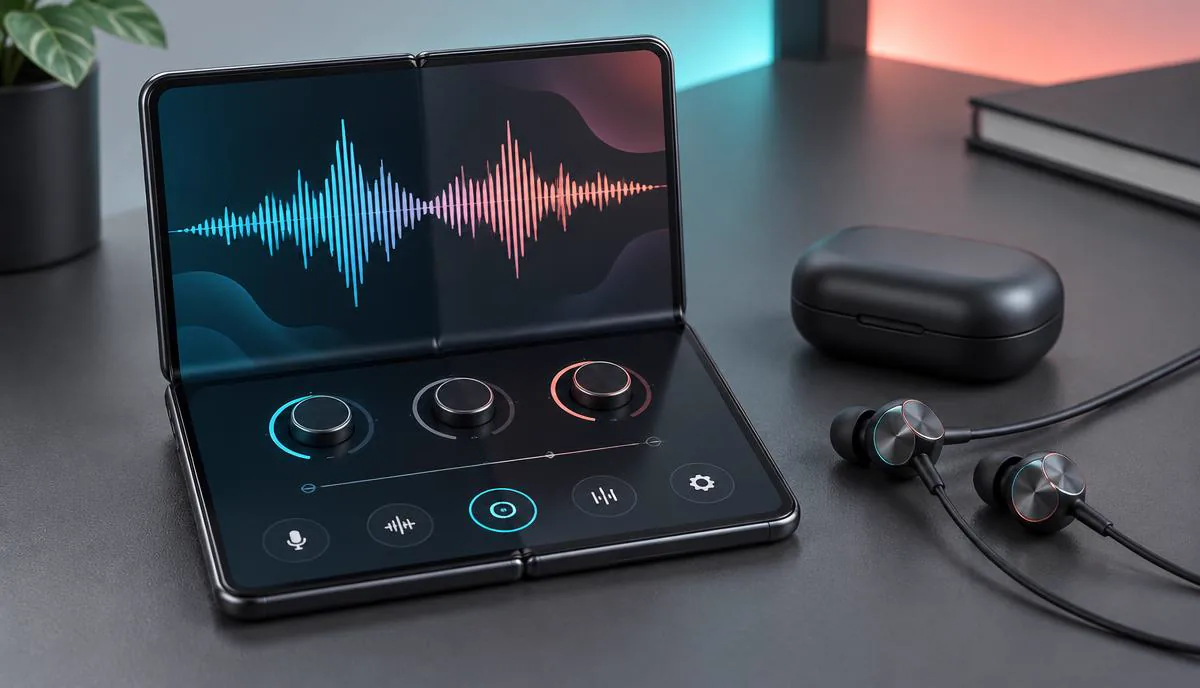
The iPhone Duo is Apple's first foldable phone, but the most important question for voice changing has little to do with its hinge. A bigger inner display can make a voice library easier to browse while you call or play, yet the audio still travels through iOS. That means an iPhone Duo voice changer must solve the same microphone-routing problem as every other iPhone.
This is a compatibility guide, not a hands-on review of every app. Dubbing AI Earbuds officially support iPhone Duo as of September 2026, while the checks below explain how to verify microphone selection in Phone, FaceTime, Discord and mobile games when the device is available.
The current Earbuds connection and processing requirements
The Earbuds use wired USB-C audio and have no internal battery. Dubbing AI runs the voice model on the phone, sends the processed sound to the earbuds, and receives it back through USB-C microphone input. The app must remain running and the phone online throughout use. The app's device connection is separate from ordinary Bluetooth headset audio pairing.
What Apple has confirmed about iPhone Duo
Apple's iPhone Duo announcement describes a titanium foldable design with a 5.4-inch outer display and a 7.6-inch inner display. Apple also lists the A20 Pro chip, storage from 256GB to 2TB, and Night Sky and Star White finishes. The phone starts at $1,999, with pre-orders opening October 16 and availability beginning October 23, 2026.
Those facts help with purchasing, but they do not prove accessory compatibility. Apple's technical specifications should be the reference for ports, wireless standards and supported audio formats. A processor name or screen size cannot tell us whether a particular headset microphone will be selected correctly during a carrier call.
| Detail | Confirmed before launch | Why it matters for voice changing |
|---|---|---|
| Foldable displays | 5.4-inch outer and 7.6-inch inner screens | More room for controls, but no new microphone permission |
| Chip | A20 Pro | Plenty of processing power; app access remains governed by iOS |
| Release | Pre-order October 16; ships October 23, 2026 | Retail hardware cannot be fully tested before availability |
| Dubbing AI Earbuds | iPhone Duo support announced as of September 2026 | Each call or game should still select the USB-C headset microphone |
Compatibility means the USB-C audio route is supported. It does not replace a receiving-side test in each call, chat or game, especially after folding or reconnecting the phone.
Why the foldable design does not change microphone access
Opening the phone can change its layout, not its security model. iOS apps remain sandboxed: an app may capture your microphone for its own recording or call, but it cannot create a system-wide virtual microphone for the Phone app, FaceTime or another calling app. The outer and inner screens are two views of the same protected audio system.
That distinction rules out a common assumption. Running a voice changer on one side of the large display and FaceTime on the other does not create an audio bridge between them. Multitasking controls where apps appear; it does not grant one app permission to rewrite another app's live microphone stream. The broader options are explained in our guide to voice changers for iPhone.
The audio path matters more than the screen mode
For a live effect, processing must occur before audio reaches the calling app or inside the calling app itself. A recording editor acts too late. A second app running beside the call lacks access. Hardware can act earlier in the chain, while a filter built directly into a game or social app can act inside its own permitted space.
Voice changer options that work differently on iPhone Duo
There is no single yes-or-no answer because products labeled “voice changer” do different jobs. Choose by destination: a saved clip, one supported social app, an internet call placed by a special service, or a live microphone that follows you between apps.
| Option | Use on iPhone Duo | Main limitation |
|---|---|---|
| Dubbing AI Voice Changing Earbuds | Supported USB-C route for a changed microphone signal across apps | Confirm each app selects the headset microphone |
| Recording editor | Record, transform and export clips | Cannot alter a live conversation |
| Built-in app filter | Works inside the app that provides the effect | Does not carry into Phone, FaceTime or another game |
| VoIP voice service | May change outgoing calls placed through its own service | Uses that service rather than your normal carrier audio path |
Recording apps remain useful for videos, voice notes and content production. They are not failed live-call tools; they are a different category. Likewise, a game with its own character filter may work perfectly in that game. Problems begin when a listing implies that an ordinary App Store download can take over the microphone in unrelated apps.
Calls, FaceTime, Discord and mobile games compared
The result still varies by communication channel because an app can switch inputs or apply its own processing. The matrix separates the supported Earbuds connection from the receiving-side check worth making in each app.
| Scenario | Dubbing AI Earbuds route | Software-only route | Launch-day check |
|---|---|---|---|
| Carrier Phone call | Supported through the USB-C headset microphone | No system-wide third-party mic filter | Confirm both outgoing audio and monitoring |
| FaceTime Audio or Video | Supported through the connected headset mic | Only effects Apple provides inside FaceTime | Test folded and unfolded states |
| Discord voice chat | Supported through normal USB-C audio input | Only Discord-supported processing or features | Check channel input and echo |
| Mobile game chat | Supported when the game uses the connected microphone | Only when the game includes its own effect | Test squad chat, push-to-talk and reconnects |
| Recorded clips | Optional | Yes, with an editor | Check export quality and synchronization |
If your only need is a changed recording, use an editor and avoid buying hardware. If you need live carrier calls, FaceTime and several chat apps, compare products by where they process audio. Our detailed iPhone call app compatibility guide explains why VoIP dialers and recording tools produce such different results.
Using Dubbing AI Earbuds with iPhone Duo
Dubbing AI Earbuds work with the Dubbing AI app, which processes your speech on the iPhone and returns it through the earbuds' USB-C microphone input. As of September 2026, iPhone Duo is explicitly supported alongside the complete iPhone 15, 16, 17 and 18 families. The direct USB-C route gives other apps an already changed microphone signal rather than asking one app to inject audio into another; the earbuds include 500+ voices and process at about 300 ms latency.
Official device support does not guarantee that every app will keep the same microphone selected after a fold, lock or reconnect. Confirm the Earbuds remain the active input from the receiving side of an important call or stream; that checks the app's route without weakening the device compatibility statement.
Connection and app check
- 1Connect the earbuds using the iPhone Duo's supported audio connection and confirm iOS shows them as the active audio device.
- 2Open the Dubbing AI companion app, choose a voice and speak into the earbud microphone.
- 3Call a second phone first; ask the listener to confirm that the changed voice, not the handset microphone, is arriving.
- 4Repeat the check in FaceTime, Discord and one game because each app can handle audio-route changes differently.
- 5Fold and unfold the phone during a test call, then verify that microphone selection and monitoring remain stable.
Explore voice-changing hardware for iPhone
See how Dubbing AI Earbuds process 500+ voices before audio reaches your apps, with support for iOS and Android.
View Dubbing AI EarbudsWhat to verify when the phone ships
Early adopters should treat compatibility as a checklist, not a single connection badge. Bluetooth playback can succeed while the phone quietly keeps using its own microphone. A voice may work in a recording and fail after a call app reconnects. Testing both sides of a conversation catches those false positives.
- Confirm that iOS identifies the accessory and selects its microphone, not only its speakers.
- Record a short Voice Memo, then make a carrier call to a second device and compare what arrives.
- Test FaceTime, Discord and your main game separately; do not assume one successful app proves every app.
- Fold and unfold during an active call to catch microphone switching or a dropped audio route.
- Reconnect after locking the screen and after restarting the phone.
- Judge 300 ms processing in a real conversation or squad call, not only by watching an on-screen meter.
Keep the phone and companion app updated during the first release weeks. New hardware often receives early software fixes, and repeating this short matrix after an update is more reliable than assuming a connection result will never change.
Who should wait before buying a voice changer
Run a receiving-side test before using iPhone Duo and a changed voice for work, accessibility or a scheduled broadcast. The Earbuds support the device, but Phone, FaceTime, Discord and individual games can still handle microphone selection, monitoring and reconnection differently.
You should also skip dedicated hardware if you only change prerecorded clips or use a single app with a good built-in filter. Hardware makes more sense when the same live voice needs to travel across calls, chat and games without depending on each app to offer an effect.
Finally, use any changed voice transparently and lawfully. Character play, privacy and entertainment are reasonable uses; impersonating a real person, bypassing voice authentication or obtaining money or access through deception is not. The new form factor may be novel, but the responsibility stays familiar.
Frequently asked questions
Dubbing AI Team
Hardware & Voice AI
We build real-time voice changing hardware for gaming, streaming and calls.