
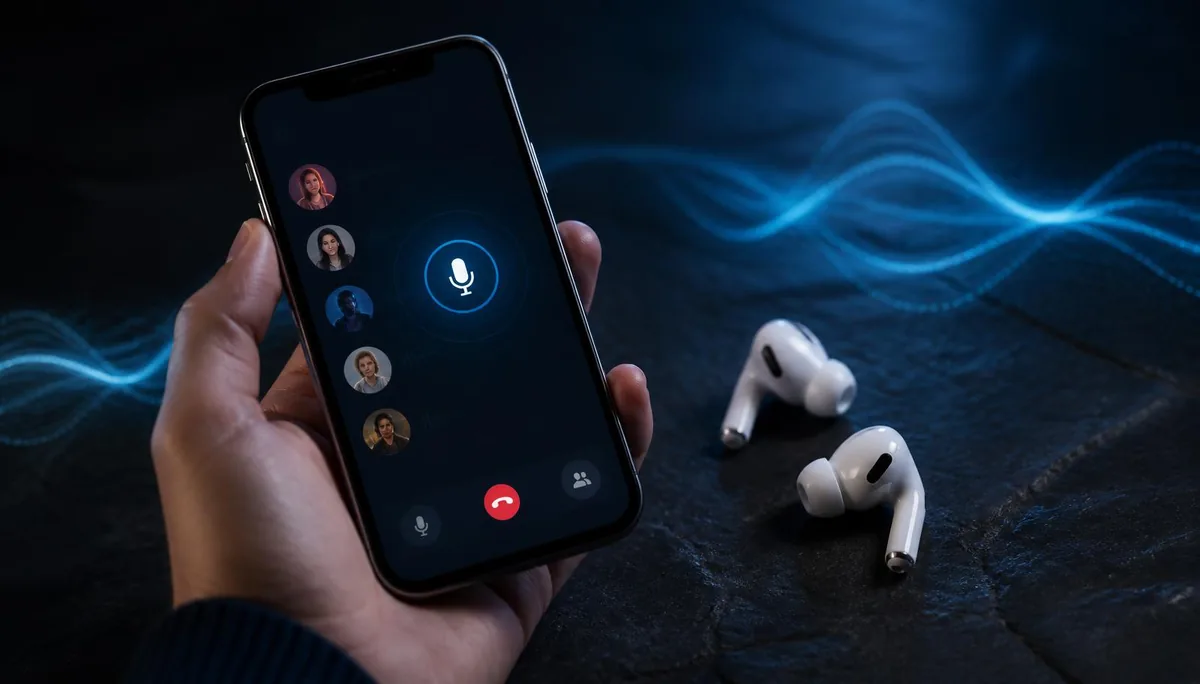
Searching for the best iPhone voice changer usually turns up a list of apps, and then a lot of one-star reviews from people who expected their voice to change during a call and it didn't. That gap is not a bug in any particular app. It is how iOS is built, and understanding it is the fastest way to pick something that actually works for what you want to do.
This guide compares the four approaches that exist on iPhone today, starting with Dubbing AI software routed from a computer and Dubbing AI Voice Changing Earbuds, then covering filters built into individual apps and recording-based apps. We build the first two options, so treat those sections as an interested party talking — the comparison table lists the trade-offs either way.
Why iOS makes live voice changing hard
On a Mac or a PC, a voice changer works by creating a virtual microphone. The software listens to your real mic, processes the audio and then presents itself to the system as a new input device. Discord, OBS or your browser pick that device from a dropdown and never know the difference.
iOS has no equivalent. Apps run in a sandbox, and there is no supported way for one app to install a virtual input device that other apps can select. An app can request microphone access for itself, but it cannot stand between the microphone and a different app. That single restriction is why the App Store is full of voice changers that only work on files you record inside them.
If a solution is software running on the iPhone, it can only change audio inside its own app. Anything that needs to reach every app has to happen before the audio arrives at iOS.
People occasionally suggest jailbreaking to get around this. Setting aside the security and warranty consequences, it also stops being an option the moment you update iOS, and it is not something we would recommend to anyone who just wants to sound like a cartoon villain in a group call.
How we compare them
Every option below is judged on the same five questions, because those are the ones that decide whether a tool fits your situation.
- Does it work live, during a call or a match, or only on a recording?
- How many apps can use it — one, a handful, or anything on the phone?
- What else do you need: a computer, a jailbreak, an audio interface, a subscription?
- How long does it take to get running the first time, and every time after?
- Is it portable, or does it pin you to a desk?
Capability claims about third-party options are based on what their makers document publicly. We deliberately avoid quoting prices, ratings or download counts, since those change faster than any article can track.
Option 1 — Dubbing AI software routed into the phone
Dubbing AI software runs on a computer and creates the real-time changed voice there. Feeding that output into an iPhone through an audio interface gives the phone a normal external input, so the changed voice can reach the app that is listening.
This route offers deep software control, but it needs a computer, an interface, cables and a fixed setup. It is best for creators who already work at a desk, not someone taking an everyday call while moving around.
Option 2 — Dubbing AI Voice Changing Earbuds
Dubbing AI Voice Changing Earbuds avoid the iOS restriction by converting the voice in the earbuds themselves. The iPhone receives an already-changed audio stream from what it treats as an ordinary audio accessory, so any app using the system microphone can hear it.
This is the first hardware option to consider for live calls and games: no computer or external interface, about 300 ms of latency and 500+ voices. As of September 2026, the USB-C connection supports the complete iPhone 15, iPhone 16, iPhone 17 and iPhone 18 families, plus iPhone Duo.
Option 3 — Filters built into the app you're already using
Several apps ship their own voice effects. TikTok has them for recorded video, Discord has soundboard and effect features, and various party and karaoke apps do something similar. If the effect exists inside the app you actually use, this is the shortest path there is: no extra hardware, no extra install, nothing to configure.
The limitation is right there in the description. A filter that lives inside TikTok does nothing in a WhatsApp call. The effects are usually a small fixed set chosen by the app's designers, and they tend to be broad — chipmunk, deep, robot — rather than a specific character voice you can hold for an hour of gameplay.
Good fit if
You want a quick effect in one specific app, you are not fussy about which voice, and you have no interest in owning anything extra.
Option 4 — Recording-based voice changer apps
This is the largest category on the App Store. You open the app, tap record, speak, pick a voice, and the app renders a processed clip that you can then save or share. Many of them have genuinely good voice libraries, and for making a voice note or a meme clip they do the job well.
What they cannot do is put that voice into a live conversation. Because of the sandbox described above, the app can only touch audio it recorded itself. Some listings imply otherwise with screenshots of chat apps, which is where a lot of the disappointment in the reviews comes from. If you want to prank a friend on a live call rather than send them a file, this category will not get you there.
Good fit if
You are producing content rather than talking — voice notes, TikTok audio, a bit for a video. Asynchronous by nature, and perfectly fine at it.
Other desktop software routed into the phone
The workaround power users land on is to keep the real processing on a computer. You run desktop voice changing software, send its output into an audio interface or mixer, and feed that into the iPhone as an input. The phone sees a normal external audio source, so the changed voice reaches whatever app is listening.
It works, and it gives you the deepest control over the sound. Our own desktop software at dubbingai.io sits in this category, so this is not a straw man. But look at what the setup costs you: a computer running the whole time, an interface, cables, gain staging, and a fresh round of troubleshooting every time you move to a different room. For a streamer with a fixed desk that is a reasonable trade. For someone playing Roblox on the couch, it isn't. A desk-bound alternative that skips the PC is the Dubbing Box hardware page, though it needs an Android device for setup and a pair of Bluetooth headphones.
Good fit if
You already have a desk setup with an interface, you stream from that one place, and you want maximum control over the signal chain.
Why the Earbuds route works across iPhone apps
The fourth approach avoids the iOS restriction entirely by never asking iOS for permission. Dubbing AI Voice Changing Earbuds do the conversion in the earbuds themselves. Your voice is transformed on the way in, and the iPhone receives an already-changed audio stream from what it treats as an ordinary audio accessory.
That detail is the whole argument. Because the phone never has to route anything, app coverage is not a feature list — it is a consequence of how audio input works. Any iOS app that takes its audio from the system microphone input hears the changed voice, which in practice covers Roblox Mobile, WhatsApp, Discord, FaceTime, Instagram and live streaming apps alike. The step-by-step Roblox Mobile walkthrough shows what that looks like in one game.
- No jailbreak, and no system-level profile or plugin to install.
- No computer, no external audio interface, no virtual audio driver.
- Real-time conversion with 300 ms latency, so a conversation stays a conversation.
- 500+ voices to choose from, switched from the companion app rather than the earbuds.
- Works with iPhone 15–18 families, iPhone Duo and Android phones that support USB-C audio input, as of September 2026.
Getting started is short enough to describe in one breath: pair the earbuds, pick a voice, start talking in whatever app you were going to use anyway. There is no per-app configuration step, because there is no per-app anything — the app is downstream of the change.
Two honest limitations. Unlike an app, this is a physical product you have to own and keep charged. And support for PS5, Xbox, Switch 2 and VR headsets is planned for late August 2026 rather than available today, so if consoles are your main use case, that is a date to wait for rather than a box already ticked. Full specifications live on the Dubbing Earbuds product page on this site.
Change your voice in any iPhone app
Real-time conversion at 300 ms, 500+ voices, and nothing to install on your phone.
Buy Dubbing EarbudsSide by side
| Dubbing AI software | Dubbing AI Earbuds | In-app filters | Recording apps | |
|---|---|---|---|---|
| Works live | Yes, with desktop routing | Yes | Inside that app only | No |
| App coverage on iOS | Any app using the routed audio input | Any app using the system mic | One app | One app |
| Needs a computer | Yes | No | No | No |
| Needs a jailbreak | No | No | No | No |
| Extra gear | Interface and cables | The earbuds | None | None |
| Time to first use | An afternoon | A few minutes | Seconds | A minute |
| Portable | No | Yes | Yes | Yes |
Read the table down the "works live" row first. It splits the four options into two groups that are barely competing with each other: two of them produce clips, two of them change a conversation.
Which one to choose
Pick by what you are actually doing, not by which category has the most features.
- 1Streaming from a fixed desk with gear you already own — Dubbing AI software routed through an interface gives you the most control.
- 2Live voice in games and calls, on a phone, moving around — Dubbing AI Earbuds reach every app without a computer in the chain.
- 3Occasional jokes in one app — use the filter that app already ships. Free, immediate, nothing to manage.
- 4Voice notes, TikTok audio, meme clips — a recording-based app is the right tool, and there are good ones.
Choose the first route when you already have a desktop audio chain, or the second when the changed voice must travel with your iPhone. If a built-in filter or recording app covers the job, the free option is the more practical choice.
Still deciding between the Earbuds and the Box?
The Earbuds page walks through the full spec list and what the earbuds do on Android and iOS today.
See the Earbuds pageFrequently asked questions
Dubbing AI Team
Hardware & Voice AI
We build real-time voice changing hardware for gaming, streaming and calls.