
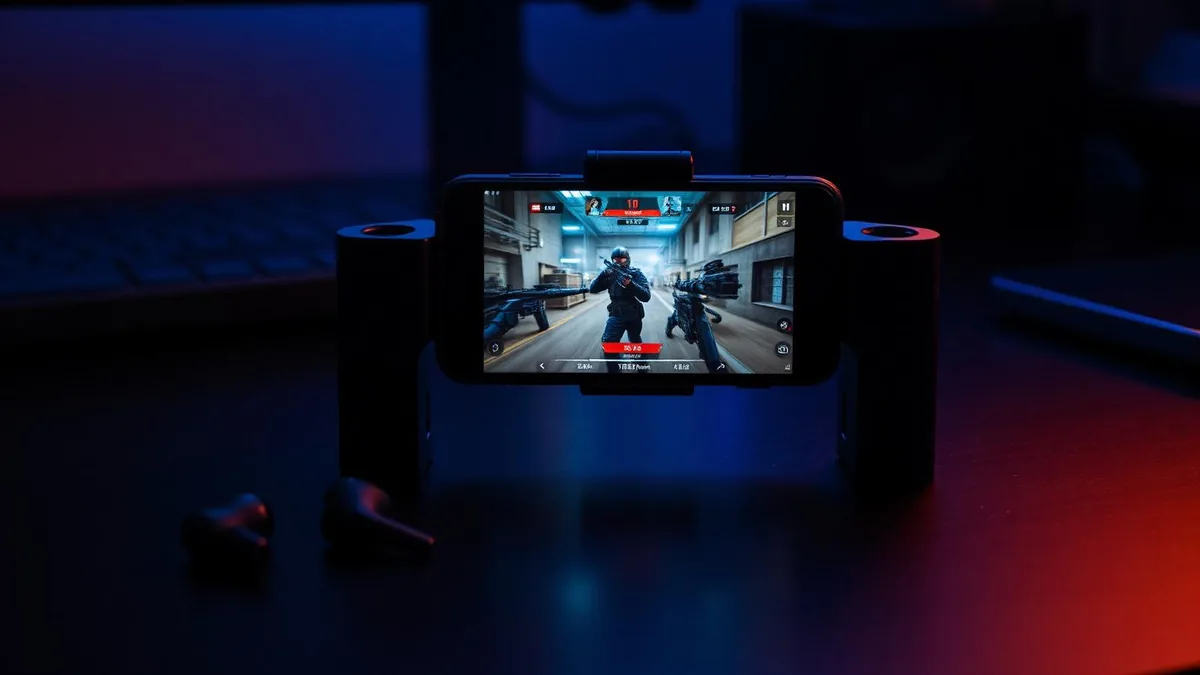
Call of Duty Mobile lives and dies on voice. Squad callouts, rotations, a quick "two left, B site" — the chat channel is part of the game loop. It is also the reason so many players go looking for a voice changer and come back frustrated.
Almost every guide you will find was written for a desktop client, where a voice changer installs a virtual microphone and you point the game at it. Call of Duty Mobile has no such menu. There is a mic toggle, and that is the whole interface.
We build voice changing hardware, so this article ends with our product. It also lays out the mechanism and the numbers next to the alternatives, so you can judge the approach before you judge the brand.
Why most voice changers never reach your squad
When you unmute in a match, the game asks Android or iOS for microphone input and gets the raw signal from whichever mic is currently active. Neither operating system lets an ordinary app intercept that stream, process it, and hand the result to a different app.
That single restriction explains almost every failed setup. It is not that the changer app is bad — it is that the audio it produces has nowhere to go.
- Recorded clips — you export a processed file and share it later. Your live voice is untouched.
- In-app playback — you hear the character voice; your squad hears you.
- Routed calls — the tool converts audio for calls inside its own service, which Call of Duty Mobile is not.
- Cloud conversion — excellent quality per clip, but built for editing, not for a firefight.
- In-line hardware — conversion happens before the phone gets the audio, so every app reading the mic gets the converted voice.
On mobile the useful question is not "how realistic are the voices?" but "can this thing reach the microphone stream the match is actually listening to?"
The approaches compared
Here is how the routes stack up on the criteria that matter in a squad match. Latency figures describe the full path from you speaking to a teammate hearing you, as of August 2026; app and cloud routes swing with your connection.
| Approach | Reaches CoD Mobile chat | Typical latency | Setup per app |
|---|---|---|---|
| Dubbing AI Earbuds (in-line hardware) | Yes — converts before the phone | About 300 ms | None |
| Desktop voice changer + virtual mic | No — no input selector on mobile | n/a | n/a |
| Mobile voice changer app | No — sandboxed to its own interface | n/a for live chat | n/a |
| Cloud conversion service | No — file-based, not live | Seconds per clip | Per project |
| Emulator or cloud gaming on PC | Sometimes, with a PC audio chain | Varies with stream quality | One-off, complex |
The emulator route deserves a fair hearing: if you already play on a PC with a full audio chain, a desktop changer works. It also changes how you play — touch controls, matchmaking pools and account rules all shift, which is a large price for a character voice.
How the earbuds handle a Call of Duty Mobile match
The Dubbing AI Voice Changing Earbuds move the conversion off the phone entirely. The earbud mic picks up your voice, the hardware converts it, and the phone receives audio that is already changed. As far as the game is concerned, nothing unusual happened.
That is why there is nothing to configure in the game itself. The same conversion also applies to party chat before the match, to a Discord call running alongside it, and to a normal phone call afterwards.
Getting set up before you queue
- 1Charge the earbuds and pair them with your phone over Bluetooth.
- 2Install the companion app and let it detect the earbuds.
- 3Pick a voice and speak a line to hear it monitored back to you.
- 4Open Call of Duty Mobile and set voice chat as you normally would.
- 5Queue a Multiplayer match and make a couple of callouts before trusting it in ranked.
If you also use the same phone for chat outside the game, nothing changes — the routine matches what we describe for changing your voice in Discord mobile, because neither app is ever configured.
What 300 ms feels like during callouts
Latency is the number that decides whether a voice changer survives a shooter. Roughly 300 ms is a third of a second between you speaking and a teammate hearing it, which lands differently depending on what you are saying.
| Situation | Effect at ~300 ms |
|---|---|
| Pre-round planning | No noticeable impact |
| Rotation calls between fights | Slight pause; reads as a deliberate speaking style |
| Mid-fight enemy callout | Say the position first, the detail second |
| Rapid back-and-forth banter | Occasional overlap; wait a beat before replying |
The practical adjustment is small: lead with the information that decays fastest. "B site, two" survives a third of a second. "He is going to — no wait, he pushed" does not.
Choosing voices that work in a shooter
A 500+ voice library reads like a spec sheet number until you are three hours into a session and the novelty voice has become unbearable. Range matters more than count.
- Keep one grounded operator-style voice as your default for long sessions.
- Save the heavily processed character voices for lobbies and Battle Royale drops rather than ranked.
- Prefer voices that stay intelligible when you get loud — shooters make people shout.
- Re-check the fit of your ear tips; a poor seal changes how the source mic hears you.
When the earbuds are the wrong pick
If you want polished character audio for edited montages, a cloud service still wins on raw quality per clip, because it can spend seconds on what the earbuds do in milliseconds. If you want a laugh once a month, a free effects app is enough.
Hardware earns its place when the voice is on by default: nightly squads, long sessions, and moving between games and chat apps without redoing anything. If you want the same conversion at a desk or console setup instead, the Dubbing Box covers that path — it pairs with a Bluetooth headset and is set up from an Android device.
Change your voice in every match, with nothing to configure
Real-time conversion in the earbuds themselves: around 300 ms of latency, a 500+ voice library, and the same behaviour on Android and iOS.
Buy Dubbing EarbudsPlaying fair with a changed voice
Using a character voice for roleplay, privacy or fun is ordinary. Using it to impersonate a specific real person, to misrepresent your age, or to keep going after a teammate asks you to stop is where lobbies and moderators draw the line.
A voice changer that sits in your audio chain is not a game modification — it never touches the game client or its files. Even so, the same conduct rules apply to what you say through it as to your normal voice, and harassment gets reported either way.
Frequently asked questions
Dubbing AI Team
Hardware & Voice AI
We build real-time voice changing hardware for gaming, streaming and calls.