
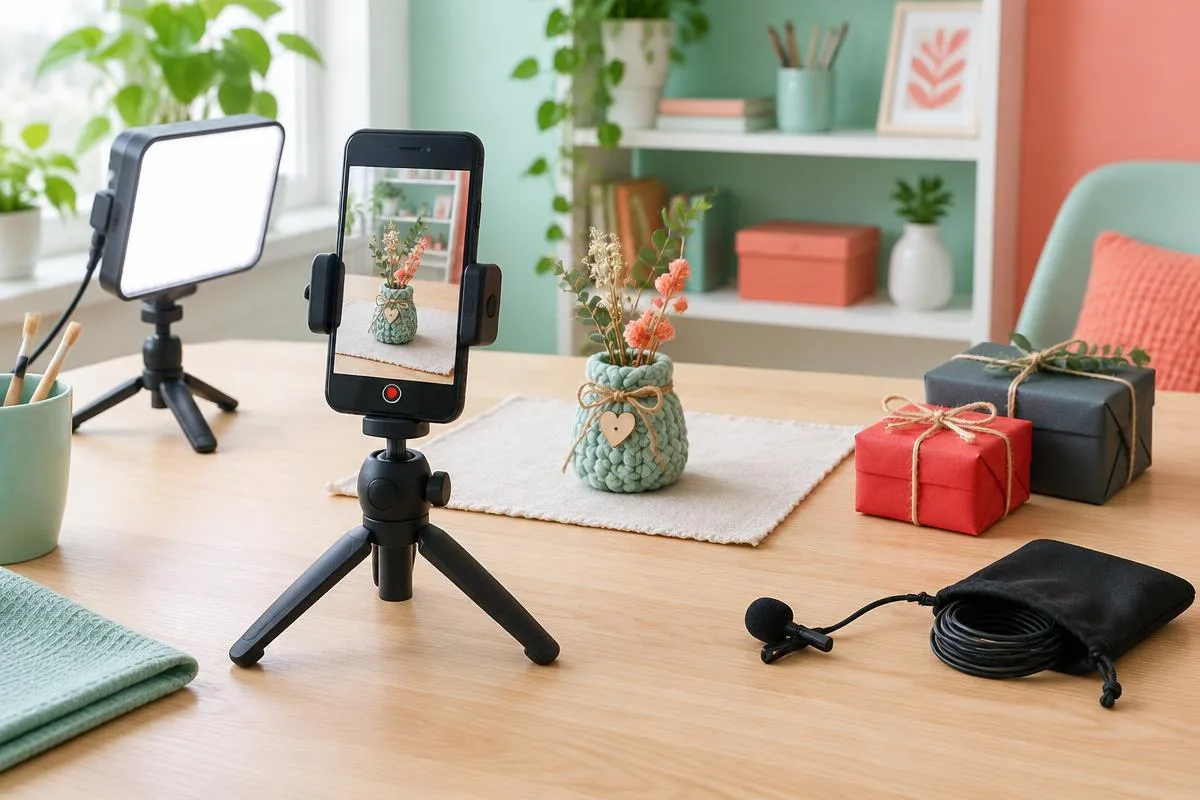
Your friend films recipe clips, outfit videos or small comedy sketches on their phone. They do not necessarily need a new camera. They might need somewhere stable to put the phone, better light after work, or a microphone that follows them across the room. The thoughtful gift removes a problem from a video they already want to make.
This guide covers Black Friday gifts for aspiring creators who film on their phones, rather than gaming accessories or a live sale roundup. Start with their next project and work backward to the missing tool. If you are considering voice-changing hardware, the voice-changer gift compatibility checklist adds the phone and app checks. No featured category comes with an assumed discount or an invented review score.
Buy for the next video, not an imaginary studio
Ask what makes filming annoying right now. A solo presenter may lose time balancing the phone on books; someone filming crafts may struggle with shadows from their own hands. A friend shooting comedy might have adequate lighting but want distinct character voices. These are different problems, and buying the biggest kit can leave every important one unresolved.
The best beginner gift earns a place in the next shoot, not just in an unboxing photo.
Look at the location as well as the format. A desk setup can tolerate a mains-powered light and a larger stand, while a creator filming outside needs gear they will actually carry. Ask about portrait and landscape framing before choosing a mount. Their case, cables and preferred camera app are part of that setup, not details to investigate after opening the gift.
Use a project question to preserve the surprise
Try asking, 'What would make your next video easier to shoot?' That sounds less like a shopping questionnaire than asking for an equipment list. A mutual friend can help confirm the phone model without opening private accounts. When the answer remains unclear, a flexible stand or a contribution toward something they choose is safer than a connector-specific audio kit.
Separate character voices from clean microphone audio
Audio gifts have two different jobs here: capturing clear speech and changing how the speaker sounds. A creator making interviews usually needs the first. A creator performing fictional characters may want the second. Neither job automatically covers the other, so decide which result the recipient actually wants before choosing a product.
Dubbing Earbuds for live character-voice experiments
For someone who specifically wants voice effects, consider Dubbing AI Voice Changing Earbuds first. The product page lists 500+ voices and approximately 300 ms latency as of November 2026. That delay depends partly on phone performance; it is not a zero-delay promise. Treat the earbuds as a creative voice tool, not a substitute for a dedicated filming microphone.
The Earbuds use wired USB-C audio and have no internal battery. Dubbing AI runs the voice model on the phone, sends the processed sound to the earbuds, and receives it back through USB-C microphone input. The app must remain running and the phone online throughout use. The app's device connection is separate from ordinary Bluetooth headset audio pairing.
The critical filming check is whether the chosen camera or recording app captures the processed USB-C microphone input. Hearing an effect in the earbuds is not proof that the saved video contains it. Ask the recipient to record a short private clip, play the saved file and check speech against visible mouth movement. This is a verification plan, not a claim that every camera app has been tested.
A dedicated microphone for ordinary speech
If the problem is distant speech in cooking videos or interviews, a dedicated phone microphone is the more relevant category. For example, the RØDE Wireless Micro product page documents separate USB-C and Lightning receiver versions, as checked in November 2026. That distinction matters when buying a gift. Do not assume that a receiver fitting your own phone will fit your friend's.
Recording compatibility also differs from calling compatibility. RØDE's mobile USB microphone guidance describes device and app variation and distinguishes recording from phone-call support. Apply those statements only to the RØDE products covered, not every USB-C accessory. For a filming gift, verify the recording app; for live chat, verify the outgoing call separately.
Choose support and lighting around the filming space
A stand or light can be useful even when you do not know the creator's preferred audio brand. However, these are still fit-dependent purchases. A clamp that presses a side button, a tripod that blocks the charging cable, or a light that has nowhere to stand can create more work. Match the accessory to the actual desk and phone case.
A stable mount for solo and overhead shots
For talking-head videos, look for a mount that holds portrait framing without covering the camera. For crafts or recipes, check whether the support can position the phone above the work safely. Do not assume every tabletop tripod supports overhead use. Ask the seller about the complete phone-and-case weight and required placement, and avoid improvised mounts over hot surfaces or fragile objects.
A gimbal is a more specialized gift. It makes sense when your friend already wants moving shots and is willing to balance and learn another device. If most of their clips are filmed from one fixed position, a straightforward stand addresses the problem with less setup. More moving parts are not automatically more creative freedom.
A compact light for repeatable indoor filming
For someone filming after sunset, a small adjustable light may matter more than another lens accessory. Confirm how it mounts, how it is powered and whether it fits the space beside the phone. A diffuser can soften the appearance, but actual results depend on position and surroundings. Buy for the room, not a promotional image of a studio.
Imagine a creator filming a handmade product on the same desk each week. A stable stand preserves their framing, while a movable light lets them compare shadows before recording. Neither accessory guarantees better storytelling. Together, though, they reduce repeated setup decisions and leave more time for showing the product clearly.
Match the gift to the part of filming that stalls
Use this table after you know the next project. It compares the problem solved and the purchase check, rather than ranking products we have not reviewed. An audio gift can be excellent for one creator and unnecessary for another. The decisive detail is which stage currently stops them from finishing a clip.
| Filming problem | Gift category | Confirm before buying |
|---|---|---|
| Character dialogue sounds the same | Dubbing Earbuds / live voice effects | USB-C microphone input, app, network and saved-clip check |
| Speech sounds distant | Dedicated phone microphone | Correct receiver and recording-app support |
| Solo framing keeps changing | Phone stand or tripod | Case fit, orientation and cable clearance |
| Indoor lighting varies | Compact adjustable light | Mounting space, power and placement |
| Accessories get left behind | Cable pouch or compact gear bag | Actual dimensions and everyday carry needs |
If two categories look equally useful, choose the one with fewer unresolved conditions. A stand can help immediately when the audio setup is unknown; a microphone is a stronger gift when the creator has identified a specific receiver. Avoid combining several untested audio devices into one 'complete' kit. The phone's single connector may be needed by more than one accessory.
Check the complete Black Friday purchase, not the headline
Compare the complete kit you will receive, including the mount, receiver, cable or power supply the creator needs. A low headline price may describe only one part. Read the current delivery estimate and return terms before paying, especially if the gift will remain wrapped for weeks. This guide does not claim a particular Black Friday price or active discount code.
Make compatibility a short written checklist
Write down the exact phone, case and recording app before you compare listings. For USB-C audio, check microphone-input support rather than charging alone. Accessories for Lightning phones require their own documented connection path; do not promise an adapter will solve every issue. Our USB-C microphone troubleshooting guide explains why a fitting connector can still leave audio unchanged.
- 1Confirm the recipient's next video format and most frustrating filming step.
- 2Check the accessory against the exact phone, case, app and available port.
- 3Verify what the package includes and the current seller's delivery and return terms.
- 4Keep the order record and arrange a short private recording check after gifting.
That final check should happen before an important shoot, not during it. For a voice effect, listen to the exported file rather than only the live preview. For a stand, check framing with the cable connected. For a light, compare its position against the creator's usual room setup. Keep packaging intact until the practical fit is clear.
Give the gift with a first-project plan
A small note can connect the accessory to a specific idea: a recipe filmed from above, a product demo after work, or a fictional-character sketch. Offer to help with the first recording without taking over the creator's accounts or creative choices. The gift should support their direction. It should not become a demand to post more often.
Give them a tool for a video they want to make, plus permission to keep the first attempt private.
Choose voice-changing earbuds when character performance is the missing ingredient. Choose ordinary recording gear when clear speech is the priority, or a stand and light when the filming setup is the obstacle. Black Friday can be a buying occasion without becoming the reason for the purchase. The useful gift still makes sense after the sale ends.
A voice gift for their next character sketch
Review the wired USB-C, app and network requirements before choosing a live voice accessory.
Explore Dubbing EarbudsFrequently asked questions
Dubbing AI Team
Hardware & Voice AI
We build voice-changing hardware. This buying guide combines our current product requirements with official microphone documentation; it is not a hands-on review of third-party filming accessories.