
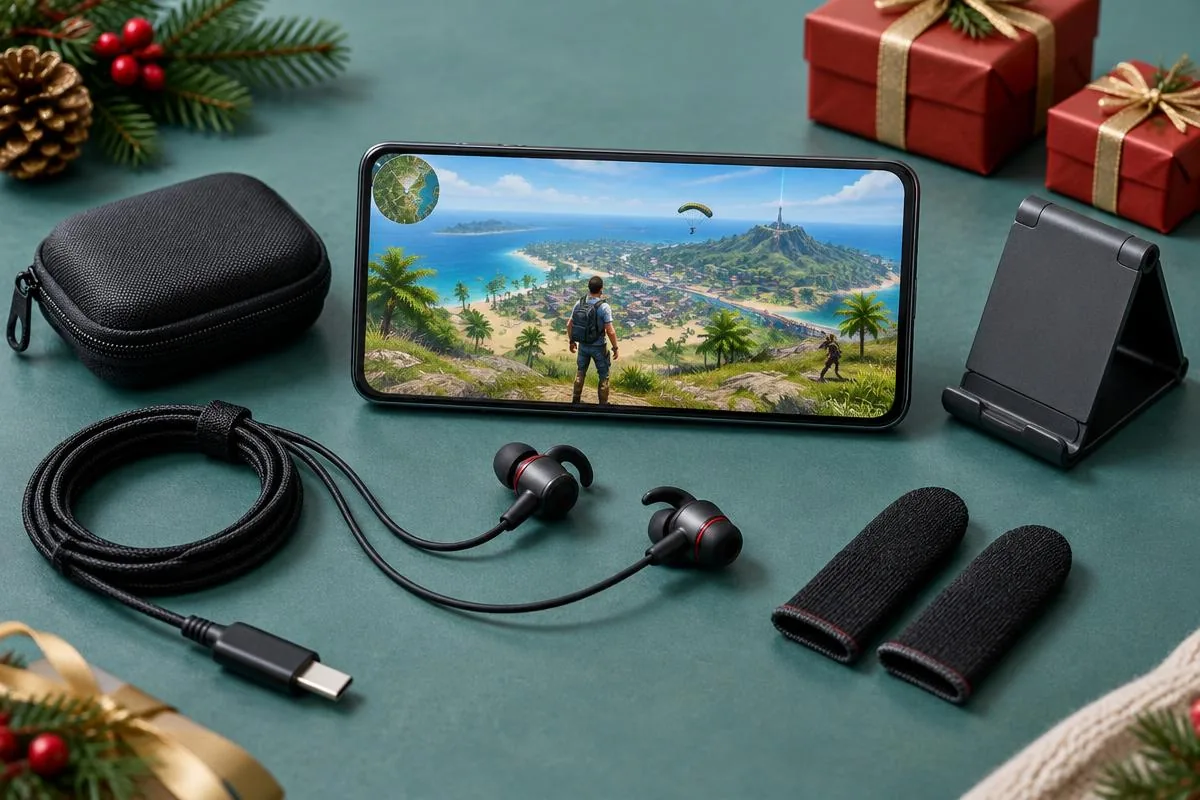
Your friend plays Free Fire every evening, but another skin or diamond purchase does not feel particularly personal. A useful gift can instead fit the way they play: laughing with a regular squad, carrying tangled cables between places or struggling to find somewhere to put the phone between matches. Start with something they actually mention. Their favorite game is the clue, not the entire shopping brief.
This guide covers Black Friday gifts for Free Fire players beyond skins and diamonds. It is a buying framework, not a live sale tracker or a promise that accessories improve competitive results. Our Black Friday mobile gamer gift guide covers the wider category. Here, the focus is touch-screen play, squad communication and a gift handoff that keeps the recipient's account private.
Choose the gift around their Free Fire routine
Ask whether your friend usually plays quietly, talks with familiar teammates or spends more time watching clips than playing matches. A solo player who stays muted may not want a voice accessory. A social squad player might enjoy one, provided the group welcomes effects. Meanwhile, someone who already owns favorite earbuds may appreciate a practical organizer instead of another audio purchase.
Buy for a habit your friend already has, not a new setup you hope a Black Friday deal will persuade them to adopt.
Keep the surprise by asking a mutual friend about the exact phone model and existing accessories. Find out whether the player holds the phone throughout matches, uses a case and prefers wired or wireless audio. Those answers narrow the choice without inspecting private messages or accessing a game account. If you cannot establish the essentials, favor a gift with fewer fit requirements.
Separate an annoyance from an accessory wish
A friend saying their microphone is broken needs a diagnosis before a new headset. Someone complaining about tangled cables has named a much clearer gift opportunity. Likewise, warm hands do not automatically mean they want finger sleeves. Ask what they would change about their usual session, then choose a category that addresses that answer rather than attaching a gaming label to an unrelated object.
Voice gifts for friends who enjoy squad conversation
Voice-changing earbuds are an entertainment gift for players who want teammates to hear an effect during conversation. They do not replace learning the game, improve aim or guarantee clearer tactical calls. A fictional robot voice can fit a relaxed session with friends; ordinary speech is usually the better choice when teammates need concise information. The recipient should be comfortable switching back.
Dubbing Earbuds: check the mobile setup first
The Dubbing AI Voice Changing Earbuds product page lists 500+ voices and approximately 300 ms latency as of November 2026. Phone performance affects the experience, and some delay is part of the trade-off. Treat them as an optional voice-effects gift, not a zero-delay competitive upgrade. Confirm that your friend wants the effect before comparing the product with ordinary listening earbuds.
The Earbuds use wired USB-C audio and have no internal battery. Dubbing AI runs the voice model on the phone, sends the processed sound to the earbuds, and receives it back through USB-C microphone input. The app must remain running and the phone online throughout use. The app's device connection is separate from ordinary Bluetooth headset audio pairing.
Check the phone's USB-C microphone-input support, not just the presence of a charging port. The player must also accept keeping Dubbing AI running and staying online during use. A gift for someone who dislikes cables or extra app setup belongs in a different category. Do not assume a charging-and-audio splitter preserves the necessary microphone path; verify a specific accessory before adding it to the gift.
Include a normal-voice check before the effects test
Garena's Free Fire microphone troubleshooting guide, checked in November 2026, recommends checking Audio settings, Voice Chat, Microphone, the selected voice channel and the in-match mute icon. It also identifies device permissions and network issues as possible causes. Confirm ordinary voice chat with the phone's built-in microphone before concluding that a new accessory is needed.
For the gift test, use a willing teammate and a relaxed session. Check ordinary speech first, connect and configure the accessory, then enable an effect and ask what the teammate actually hears. Our Free Fire voice-changing setup guide explains that routing check in more detail. A changed local preview alone does not confirm that the game's microphone receives the processed signal.
Garena's advice to close competing microphone apps should not be interpreted as closing Dubbing AI during this particular voice-changing setup. Keep the required app running while removing unrelated apps that may compete for audio. If the effect path fails, restore normal voice chat rather than experimenting in a match where teammates depend on you. This article does not claim Garena certification or universal compatibility for external voice gear.
Touch-screen gifts without promises of better aim
Finger sleeves are a reasonable category to explore when your friend already wants a different feel against the screen. Their fit and texture are personal, so choose around the recipient's preference rather than a seller's performance claims. Check material, sizing guidance and care instructions. Do not promise improved accuracy, a higher rank or a particular frame rate from a fabric accessory.
Let the player keep their familiar controls
A player who has settled into touch controls may not want a controller, clip-on triggers or a complicated mount. Those items introduce questions about fit, supported input and game rules that a discount cannot answer. If the friend has not specifically requested them, skip the guesswork. A small comfort accessory is often easier to evaluate without forcing a change to their preferred control layout.
For example, a recipient who uses sleeves already may appreciate replacements in the texture they like. Someone who dislikes them should not receive a large bundle merely because the packaging calls it a gaming kit. Ask first. If fit remains uncertain, choose an organizer or put the budget toward an accessory they select themselves instead of making the gift a test of your assumptions.
Practical extras for the time between matches
An accessory pouch can be useful for a friend who carries audio cables and a charger in a backpack. Check the actual items and their dimensions before choosing compartments. A pouch should make the existing kit easier to carry, not require buying more equipment to fill it. Include a note about the specific inconvenience you noticed; practical gifts feel more personal when the reason is clear.
Choose a stand for watching, not assumed touch play
A phone stand suits someone who watches gameplay clips, talks with friends or checks messages between sessions. It may be less useful during Free Fire matches if they hold the phone in both hands. Check case thickness, landscape support and clearance for connected cables. Position it away from table edges, and do not describe it as a universal replacement for the player's normal grip.
Charging accessories require their own checks. Confirm the phone model, supported charging requirements and whether the recipient actually needs another cable or power bank. A USB-C audio accessory occupying the port does not automatically permit simultaneous charging. For a less complicated gift, plan a charging break between sessions rather than promising that an unverified adapter will handle power and microphone input together.
Compare gifts by fit rather than the discount label
Use this table after learning the recipient's routine. It compares purchasing questions rather than untested performance scores or invented sale prices. The options serve different needs, so there is no single winner for every Free Fire player. Choose the one that solves a known problem with the fewest unresolved requirements.
| Gift | Best fit | Check before buying | Skip when |
|---|---|---|---|
| Dubbing Earbuds | Friends who want playful mobile squad voices | USB-C microphone input, app, internet and listener test | They prefer cordless audio or ordinary speech only |
| Finger sleeves | Players who already want a different screen-contact feel | Size, material and texture preference | They like bare-screen touch controls |
| Accessory pouch | Friends carrying cables and audio gear | Contents, dimensions and useful compartments | It duplicates an organizer they already use |
| Phone stand | Watching clips and calls between matches | Case fit, landscape position and cable clearance | You expect it to replace handheld touch play |
| Charging accessory | A specific, confirmed charging need | Exact device requirements and reputable seller | Compatibility or simultaneous audio use is uncertain |
For a quiet player with favorite headphones, a pouch may be more useful than voice gear. For a friend who regularly jokes with the same squad and has a compatible phone, voice-changing earbuds can be the more personal choice. Neither decision needs a claim about winning more matches. The useful question is whether the recipient will voluntarily reach for the gift next week.
Keep the gift handoff safe and easy to evaluate
Garena's account protection guidance, checked in November 2026, warns against sharing login credentials and recommends official purchase channels. A physical gift should not require accessing your friend's account. Avoid sellers promising free items in exchange for a login, and let the recipient manage any account-related steps. Thoughtful preparation means explaining the gift, not taking over their profile.
Garena's Anti-Hack FAQ prohibits unauthorized programs and modified game clients. Do not bundle a gift with skin mods, scripts or tools promising hidden advantages. This guide offers no assurance that any third-party tool is approved by Garena. Follow current game and event rules, and keep playful voices consensual rather than using them to impersonate or harass others.
Before paying, check the current total, delivery estimate and seller's return conditions. A Black Friday headline does not guarantee the lowest price or an extended holiday return window. Keep the receipt and necessary packaging, and arrange a handoff that leaves time for testing. Use this short sequence to turn the purchase into something your friend can evaluate without pressure.
- 1Confirm the exact phone and the accessory category your friend wants.
- 2Check the current price, delivery estimate and return terms before payment.
- 3Keep the receipt, packaging and included accessories together.
- 4Offer help with fit or a listener test without asking for account access.
- 5Let the recipient choose ordinary audio or another option if the gift does not suit them.
That last step matters. A gift is not an obligation to use a voice effect in every squad session or rebuild a familiar setup. Offer a short relaxed game together and let the friend decide what stays. The time you spend helping them check the fit can be more valuable than another accessory added to the parcel.
Check a voice gift against your friend's phone
Review Dubbing Earbuds' wired USB-C requirements, app setup and current price before choosing them for Free Fire squad conversations.
View Dubbing EarbudsA good Free Fire gift beyond skins and diamonds has a clear reason to remain in use. It might support playful squad chats, organize a bag or make watching clips more comfortable. Choose for the player's actual routine, disclose the requirements and keep their account private. The personal part is showing that you noticed how they play, not how loudly a sale was advertised.
Frequently asked questions
Dubbing AI Team
Hardware & Voice AI
We build voice-changing hardware for gaming and calls. This buying guide uses current Earbuds requirements and Garena's official support, not hands-on rankings of third-party accessories.