
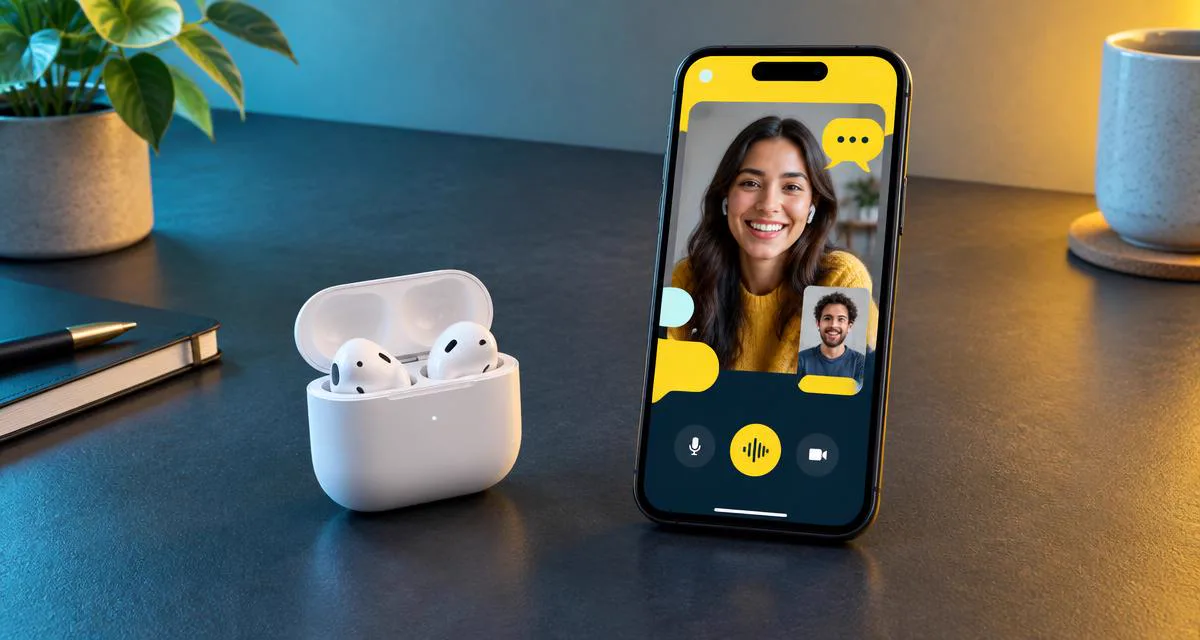
A voice changer for Snapchat mobile can mean three different things. You may want to speak with a changed voice during a live audio or video call, alter a video Snap before sending it, or play a prepared sound into a recording. Each goal needs a different audio path, and a tool that succeeds at one can fail completely at another.
This comparison uses live Snapchat calling as the hardest test. The changed voice must reach the other person while you speak, rather than appearing only in a preview or exported clip. We then consider where simpler tools remain useful. If you first want the broader operating-system explanation, see our guide to whether voice changer apps work on phones.
We make the hardware option ranked first, so that commercial interest should be explicit. The ranking is based on whether each type can reach a live Snapchat call, how much equipment it needs, whether it remains portable, and what it does well when live conversion is not possible.
The short answer: match the changer to the Snapchat task
For a live Snapchat call, the practical options are hardware that changes the microphone signal before the destination app reads its microphone input, or a computer setup that physically routes processed audio back into the phone. A standard mobile editor normally cannot insert itself between Snapchat and the microphone while both apps are active.
For a recorded video Snap, Snapchat's built-in effects are usually the lowest-friction route when the desired voice option is available in the current app version. A separate recorder can also produce an edited clip for later sharing. For short reactions, a soundboard or second device may be enough, although that is playback rather than live conversion.
| Your goal | Best-fit type | Live conversation? | Main limitation |
|---|---|---|---|
| Change your voice during a Snapchat call | Voice-changing audio hardware | Yes | Requires dedicated hardware |
| Add an effect to a video Snap | Snapchat's built-in effects | No | Applied to recorded content, not live calls |
| Create a reusable changed clip | Mobile recording app | No | Record, process and share is a separate workflow |
| Play a prepared reaction | Soundboard or second device | Not true conversion | Room echo and limited back-and-forth |
| Use studio controls from a desk | PC changer with audio routing | Yes | Complex and not portable |
How we compare Snapchat voice changer types
The first test is signal reach. Hearing a changed voice through a tool's own preview does not prove that Snapchat receives it. The reliable check is to place a call with a trusted contact and ask what reaches the other end. This avoids confusing local monitoring with the microphone stream used by Snapchat.
The second test is continuity. A live solution should let both people talk normally without stopping to render files or hold one phone beside another. It should also preserve enough clarity for a caller to understand the words rather than merely recognize an effect. We consider setup, mobility, monitoring and honest limitations. Voice count matters only after a method can complete the required job.
A Snapchat voice changer works live only when the other caller hears the changed voice as you speak.
Finally, the comparison separates device support from feature support. A product can run on iPhone or Android yet still be limited to recordings. Conversely, an external audio device may work across apps because it changes the signal before any individual app reads the microphone. We give more weight to a repeatable call test than to a product-page claim that does not explain where processing occurs.
1. Dubbing AI Voice Changing Earbuds
Dubbing AI Voice Changing Earbuds are first for live Snapchat calls because they process speech in the connected audio path before Android or iOS supplies it to Snapchat. The phone receives an already-changed microphone signal, so Snapchat can continue using its ordinary call input instead of needing a virtual microphone or special integration.
The current Earbuds connection and processing requirements
The Earbuds use wired USB-C audio and have no internal battery. Dubbing AI runs the voice model on the phone, sends the processed sound to the earbuds, and receives it back through USB-C microphone input. The app must remain running and the phone online throughout use. The app's device connection is separate from ordinary Bluetooth headset audio pairing.
The earbuds support Android and USB-C iPhone models. They offer 300 ms processing latency and access to 500+ voices as of September 2026. Voice selection and monitoring are handled through the Dubbing AI app, while the wired USB-C connection carries audio. The Dubbing AI Earbuds product details show the connection, controls and supported mobile workflow.
Their strongest fit is someone who wants a changed voice during two-way mobile conversation without keeping a computer nearby. The setup remains compact and can follow the same user into other calling or social apps that read the phone's active microphone. This is also the only category here designed around wearing and monitoring the same mobile audio path.
The trade-offs are straightforward. It is a dedicated purchase, you must use the wired earbuds while calling, and 300 ms is real processing delay rather than zero latency. A person who only wants an occasional edited Snap does not need this level of hardware; Snapchat's own effects or a recorder may be the more sensible choice.
- Best for: live Snapchat audio and video calls on a compatible Android phone or USB-C iPhone.
- Signal path: speech is processed before Snapchat receives the microphone input.
- Equipment: Dubbing AI Earbuds, a USB-C phone and the companion app.
- Trade-off: dedicated wired hardware with 300 ms processing latency.
2. Snapchat's built-in voice effects
Snapchat's own effects are the most convenient answer when the goal is a video Snap rather than a live call. Depending on the current app version and available creative tools, you can record content and apply a voice or audio effect before sending it. Everything stays inside the same camera-and-editing workflow, with no extra hardware to carry.
That convenience deserves second place because it matches a common Snapchat use case extremely well. There is no cable chain, exported file or third-party editor to manage. The effect is also easy to preview before the recipient sees the Snap, which is helpful when timing a joke or character line.
Its boundary is equally important: a post-recording effect does not become a live microphone effect during a Snapchat call. Available effects can also change as Snapchat updates its app and creative catalog. Choose this category when editing the Snap is the point, not when you need continuous two-way conversation.
3. Mobile voice changer recording apps
A mobile voice changer app commonly records a line inside its own interface, applies pitch or character processing, and saves or shares the result. This is useful for preparing a narrated Snap, making a repeatable character clip, or editing audio more carefully than a built-in one-tap effect allows.
The category offers low commitment and plenty of creative variety. Some apps allow trimming, layering or importing a recording, which can be better than live conversion when every word needs deliberate timing. The finished file can then be used in a broader content workflow, subject to the sharing options available on the phone.
What these apps normally cannot do is replace the microphone stream another active app already owns. iOS and Android isolate microphone access to protect privacy and keep calls stable. As a result, a voice that sounds changed inside the recorder can still reach a Snapchat call as the ordinary, unprocessed microphone. Our iPhone call app comparison covers that distinction in more detail.
4. Soundboards and a second-device workaround
A soundboard can play a prepared reaction, character line or effect on demand. If direct in-app routing is unavailable, some users play the sound from a second phone or speaker so the Snapchat phone's microphone captures it. This is cheap, easy to understand and adequate for an occasional pre-planned moment.
It is not a substitute for live voice conversion. The room becomes part of the recording, so the other caller may hear echo, background noise and a sharp change in volume. Conversation also pauses while you find and trigger the clip. Feedback becomes likely when the speaker sits too close to the active microphone.
Use a soundboard for short, transparent reactions rather than pretending it changes your natural speech. Keep playback volume moderate, test for echo, and avoid copyrighted or misleading audio. For spontaneous back-and-forth dialogue, choose a method that processes the live microphone instead.
5. PC voice changers routed into a phone
A computer can run detailed voice-changing software and send the processed output into a phone through a compatible audio interface and adapter. This creates genuine live conversion because the phone receives the computer's output as an external microphone. It can work with Snapchat while preserving desktop-grade controls, hotkeys and larger sound libraries.
The strength of this route is control. A creator at a permanent desk may already have a microphone, interface, monitoring headphones and a computer used for production. Fine gain adjustment, multiple effects and scene-based controls can outweigh the added equipment when the call is part of a planned recording or stream.
The weakness is complexity. The setup needs the correct phone adapter, careful monitoring and protection against feeding the caller's audio back into the microphone path. The computer must remain active throughout the call, and the cables turn a mobile app into a desk-bound system. It is capable, but it is not the simplest answer for everyday Snapchat use.
Side-by-side Snapchat mobile comparison
Dubbing AI Earbuds appear first because this table prioritizes live mobile conversation. The other options are not dismissed; they are placed according to the Snapchat task they can complete honestly. Built-in effects and recording apps can be excellent for content even though they do not replace a live call microphone.
| Voice changer type | Live Snapchat calls | Recorded Snaps | Needs a PC | Best use |
|---|---|---|---|---|
| Dubbing AI Voice Changing Earbuds | Yes | Yes, through live capture | No | Portable live conversation |
| Snapchat built-in effects | No | Yes | No | Fast in-app editing |
| Mobile recording app | Usually no | Yes, through exported audio | No | Prepared and edited clips |
| Soundboard or second device | Playback only | Yes, with room capture | No | Short prepared reactions |
| PC changer with phone audio routing | Yes | Yes | Yes | Studio control at a fixed desk |
If another caller must hear every changed word as it is spoken, only the first and last rows provide a continuous live route. The PC method gains control but loses mobility. The earbuds keep the system mobile but require dedicated hardware. The middle rows remain content tools rather than call-routing tools.
Change your voice during Snapchat mobile calls
Dubbing AI Voice Changing Earbuds process your microphone signal before it reaches Snapchat on a compatible Android phone or USB-C iPhone.
Get the EarbudsHow to set up Dubbing AI Earbuds for Snapchat
Run a short private test before an important call. App permissions, connector fit and the selected audio input can vary by phone, so confirming the complete path with a trusted contact is more useful than relying only on local monitoring.
- 1Connect the Dubbing AI Earbuds directly to the phone's USB-C port and confirm the phone recognizes them for microphone audio.
- 2Open the Dubbing AI app, complete the connection prompt if shown, and choose a voice that remains easy to understand.
- 3Turn on monitoring briefly and speak at a normal volume to check the effect without clipping or excessive background noise.
- 4Open Snapchat and allow microphone access if the app requests it. Avoid switching to another headset after the earbuds are connected.
- 5Start a private audio or video call with a trusted contact and ask whether they hear the changed voice, not just a louder or quieter signal.
- 6If the natural voice comes through, reconnect the earbuds, reopen the Dubbing AI app, confirm the selected voice, and restart the Snapchat call.
Use the live monitor only as an initial check because hearing the effect locally does not confirm the full Snapchat path. The contact's report is the final test. Once the route works, lower monitoring if hearing the delayed voice distracts you while speaking.
Which type should you choose?
Choose from the task backward. If the task is a live call, start with a live input method. If it is an edited Snap, prioritize speed and creative controls instead. This prevents paying for hardware you do not need or downloading more recorders to solve a call-routing problem they were never designed to solve.
- Choose Dubbing AI Earbuds for portable real-time voice changing during Snapchat calls.
- Choose Snapchat's built-in effects for the fastest way to alter a recorded video Snap.
- Choose a recording app when you need editing, trimming or a reusable processed clip.
- Choose a soundboard or second device for occasional prepared reactions where room audio is acceptable.
- Choose PC-to-phone routing when advanced controls matter more than mobility and you already own the equipment.
Whichever route you use, make the changed voice part of transparent entertainment. Do not imitate a real person to obtain trust, money, images or private information. Avoid misrepresenting your age or identity, and stop when the other person is uncomfortable. A voice effect changes sound, not the responsibilities that come with a conversation.
The practical answer is therefore narrower than an app-store search suggests. Dubbing AI Earbuds are the first choice here for live Snapchat mobile calls. Snapchat's own tools lead for edited Snaps, mobile editors lead for prepared clips, and a PC route is best reserved for creators who genuinely need a studio-style signal chain.
Frequently asked questions
Dubbing AI Team
Hardware & Voice AI
We build real-time voice changing hardware for gaming, streaming and calls.