
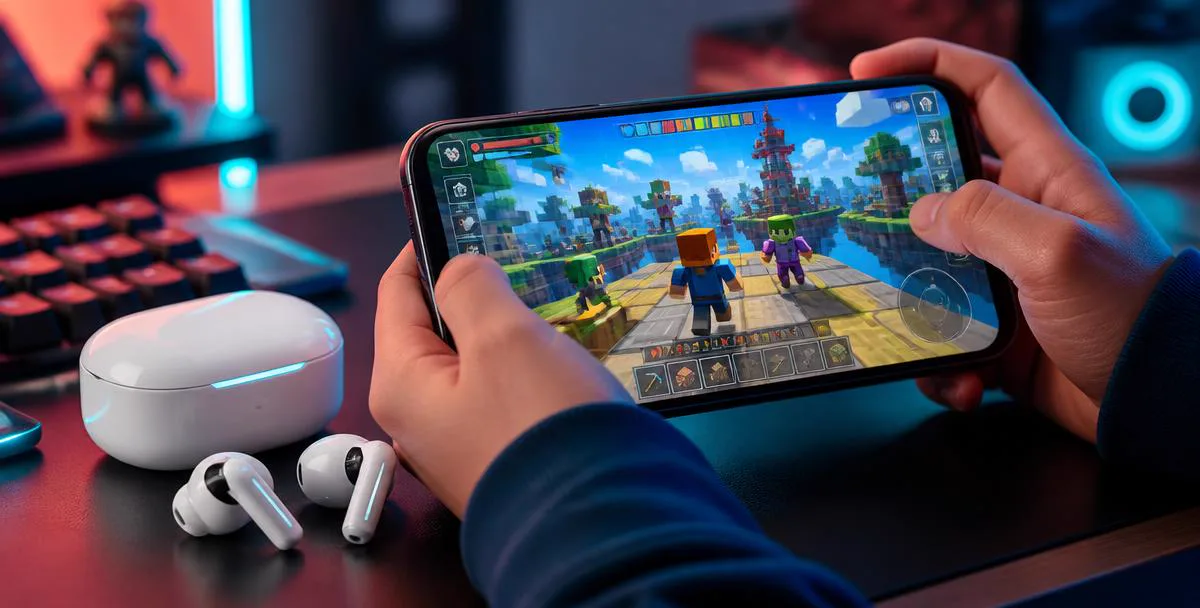
The phrase "works on Roblox Mobile" hides an important distinction. Some voice changers can make a funny recording on the same phone that runs Roblox. Far fewer can change what other players hear while you speak in a live voice-enabled experience. This comparison uses the second, stricter definition: your changed voice must enter Roblox voice chat in real time on an Android phone or iPhone.
That definition immediately separates five types of product. Hardware earbuds and external processors can alter audio before the destination app reads its microphone input. A computer can also process and route audio into a phone, although the setup becomes much less portable. Desktop virtual microphones work when Roblox itself runs on the computer. Mobile recording apps and soundboards create audio, but cannot take over another app's live microphone input.
We build the first two hardware options in this comparison, so our interest is clear. We rank them by whether they reach Roblox Mobile live chat, how much equipment they need, and where each trade-off becomes useful. For a step-by-step walkthrough after choosing, use our Roblox Mobile setup guide.
What counts as working in Roblox Mobile voice chat
Roblox Mobile asks Android or iOS for the active microphone and receives the audio stream supplied by the operating system. It does not offer the virtual-microphone selector found in many desktop communication tools. A voice changer therefore has to alter the signal before Roblox receives it, rather than merely playing an effect inside a separate app.
A useful test has three parts. Join a voice-enabled experience, speak naturally rather than playing a saved file, and ask another player to confirm the changed voice. Hearing an effect through the voice changer's own preview is not enough. Neither is exporting a clip to chat, because neither action proves that Roblox received a processed live microphone signal.
For Roblox Mobile, a voice changer works only when another player hears the changed voice while you are speaking live.
This live-versus-recorded boundary matters more than the number of presets advertised. A tool with ten voices that reaches the live microphone is more relevant than an app with hundreds of effects that only saves files. With that standard established, the options become much easier to rank.
1. Dubbing AI Voice Changing Earbuds
Dubbing AI Voice Changing Earbuds are first because the conversion runs on the phone and returns through USB-C before the destination reads its microphone input passes the signal to Roblox. Android and iOS see a connected microphone delivering an already-changed voice. There is no virtual driver to install, no jailbreak or root process, and no computer that must remain beside the player during a session.
The current Earbuds connection and processing requirements
The Earbuds use wired USB-C audio and have no internal battery. Dubbing AI runs the voice model on the phone, sends the processed sound to the earbuds, and receives it back through USB-C microphone input. The app must remain running and the phone online throughout use. The app's device connection is separate from ordinary Bluetooth headset audio pairing.
The earbuds support Android and iOS, with 300 ms latency and a library of 500+ voices as of September 2026. Voice selection happens in the companion app, while the actual game continues to use its normal microphone path. The Dubbing AI Earbuds specifications explain the hardware and mobile workflow in more detail.
This route fits someone who plays on a phone in different places and wants one compact setup. It also carries into other mobile apps that read the same system microphone. The trade-offs are equally concrete: it requires dedicated hardware, you need to wear the earbuds, and 300 ms is processing delay rather than zero delay. Players who only make occasional clips may not need a live hardware product at all.
- Best fit: live Roblox Mobile chat on Android or iPhone without a PC.
- Equipment: the earbuds and their companion app.
- Strong point: portable processing before audio reaches the destination app.
- Trade-off: dedicated hardware and noticeable processing delay if you monitor closely.
Among the categories compared here, this is the most direct mobile-first route. It solves the input problem where it begins rather than asking Roblox or the phone operating system to accept a software microphone that they do not expose.
2. Dubbing Box with Bluetooth headphones
Dubbing Box also changes the signal before Roblox receives it, but it separates the processor from the headphones. That makes it useful for a player who already owns Bluetooth headphones they like and does not want voice processing tied to one earbud design. The live-routing principle is similar; the physical arrangement is different.
There are two requirements to understand before choosing it. Dubbing Box must be used with Bluetooth headphones, and its initial setup must be completed on an Android device. Once configured, it provides a one-cable, one-box route without a PC or external sound card. The Dubbing Box product details cover those requirements and the connection flow.
Compared with the Earbuds, the Box adds another object to carry but preserves your choice of Bluetooth listening hardware. Compared with a computer-and-interface chain, it is considerably smaller. It belongs second in this ranking because it can reach live mobile chat, yet the Android setup requirement makes it less universal for an iPhone-only household.
3. A PC voice changer routed into the phone
A desktop voice changer can feed Roblox Mobile if a computer processes the microphone first and an audio interface sends the resulting signal into the phone. This is genuine live conversion. It is also the option with the most pieces: microphone, computer, voice changer software, interface, phone-compatible adapter, monitoring headphones and cables that keep output from looping back into input.
Its strongest case is a fixed streaming desk. A creator may already have a USB microphone, audio interface and computer running capture software, making the extra route acceptable. Desktop tools can also provide detailed controls, hotkeys and integration with a larger production workflow. Those are real advantages when portability is irrelevant.
The weakness appears as soon as the player leaves the desk. Phone adapters differ, gain needs adjustment, cable movement can create noise, and the computer must stay active for the whole session. It works, but it turns mobile gaming into a studio signal chain. That is why it ranks below the two dedicated hardware routes for a question specifically about Roblox Mobile.
4. Desktop voice changer software on Roblox PC
Desktop software is often the best-value answer for someone who is willing to play Roblox on a computer instead. Products such as Dubbing AI software and Voicemod create a virtual microphone that the desktop operating system can use as an input. They offer broader control than a simple mobile setup and fit naturally beside streaming, soundboard and hotkey tools.
The limitation is not voice quality; it is location in the audio path. A virtual microphone installed on Windows or macOS does not appear as a selectable microphone inside Roblox on a separate phone. Running the control app on a computer beside the phone changes nothing unless the processed signal is physically routed into that phone as described above.
Choose desktop software when playing Roblox on the desktop client, particularly if you want keyboard shortcuts or streaming controls. Do not choose it on the assumption that the mobile client can detect a virtual device installed elsewhere. Moving the game to PC makes this category work; it does not make the software a native Roblox Mobile solution.
5. Recording apps, soundboards and speaker tricks
Mobile voice changer apps are convenient for recording a line, applying an effect and sharing the rendered file. Soundboards are good for reactions or pre-made audio in places that support playback. Both categories can be entertaining around Roblox, and they cost less to try than hardware. Their advantage is fast content creation, not live microphone replacement.
Android and iOS isolate apps from one another's microphone streams. A recorder can process audio captured inside its own interface, but it cannot normally insert that result into the microphone stream Roblox is already reading. Our broader test of whether phone voice changer apps work explains this operating-system boundary across calls and games.
Playing a changed clip through the phone speaker and letting the microphone recapture it is not a practical exception. The second recording adds room echo, keyboard noise and feedback, while conversation stops every time you prepare another clip. Use this category for edited videos, voice notes and occasional soundboard moments. For live back-and-forth, it fails the definition set at the start.
Side-by-side Roblox Mobile comparison
The table separates tools that genuinely reach a live Roblox Mobile session from tools that work only after changing the platform or adding a larger signal chain. Dubbing AI Earbuds appear first because they combine live mobile input with Android and iOS support and no computer requirement.
| Voice changer type | Live in Roblox Mobile? | Needs a PC? | Phone support | Main trade-off |
|---|---|---|---|---|
| Dubbing AI Voice Changing Earbuds | Yes | No | Android and iOS | Dedicated earbuds; 300 ms processing latency |
| Dubbing Box | Yes | No | Android setup required | Needs Bluetooth headphones and an extra box |
| PC changer routed through an interface | Yes | Yes | Depends on adapter and phone | Complex, desk-bound cable chain |
| Desktop virtual microphone | No — unless playing on PC | Yes | Desktop client, not mobile input | Requires moving the game to a computer |
| Recording app or soundboard | No — clips only | No | Android and iOS | Cannot replace Roblox's live microphone |
Only the first three rows can deliver a changed live signal to the mobile game, and the third does so by rebuilding a desktop audio path around the phone. The last two remain useful in their proper jobs. Treating clip creation as live voice changing is what makes many recommendation lists look broader than they really are.
The decision therefore rests less on effect count than on equipment. A mobile-first player needs processing before the destination reads its microphone input. A desk-based creator can accept computer routing for deeper control. Someone producing edited clips does not need a live route at all.
Use a changed voice in Roblox Mobile live chat
Dubbing AI Voice Changing Earbuds change your voice in the phone app and return it through USB-C before the game reads the microphone, with 300 ms latency and 500+ voices as of September 2026.
Get the EarbudsWhich type should you choose?
Start with where Roblox runs and how much equipment you are willing to keep connected. The correct category follows from those two facts more reliably than it follows from a list of effects. A product can sound excellent in its own preview and still be useless to Roblox Mobile if it cannot enter the live input path.
- 1Choose Dubbing AI Earbuds if you play Roblox on Android or iPhone and want the smallest complete live setup.
- 2Choose Dubbing Box if you want live hardware processing while keeping your own Bluetooth headphones and can complete setup on Android.
- 3Choose PC-to-phone routing if you already run a fixed creator desk and value detailed software control more than portability.
- 4Choose desktop voice changer software if you are comfortable moving Roblox itself from the phone to a computer.
- 5Choose a recording app or soundboard if your goal is edited clips rather than a changed voice during live conversation.
There is no reason to buy hardware for a once-a-month recorded joke. Conversely, repeatedly downloading mobile apps will not solve a live-routing problem that the operating system prevents them from addressing. Match the mechanism to the job, then compare voices and controls inside the category that can actually do that job.
Use voice changing without crossing the line
A changed voice can make roleplay and social games more expressive, but it does not change Roblox's community standards or voice-chat eligibility rules. Use character-style voices as a costume, not as a way to impersonate a real person, misrepresent your age, pressure another player or continue after someone asks you to stop.
Test with a friend before entering a busy experience, keep your natural identity clear when trust or money is involved, and avoid effects that make speech impossible to understand. Good voice changing supports the conversation. It should not become a tool for harassment, deception or evading moderation.
The practical answer
For Roblox Mobile, the useful categories are the ones that place processing before the destination reads its microphone input receives the microphone signal. Dubbing AI Voice Changing Earbuds are the first recommendation because they do this in a portable Android-and-iOS setup. Dubbing Box follows for players who prefer their own Bluetooth headphones and can handle Android setup, while PC routing remains a capable but desk-bound alternative.
Desktop virtual microphones and recording apps still have worthwhile roles. They simply answer different questions: Roblox on PC, or edited audio after recording. Once live mobile input is the test, the crowded list of supposed options becomes a short and honest one.
Frequently asked questions
Dubbing AI Team
Hardware & Voice AI
We build real-time voice changing hardware for gaming, streaming and calls.