
Search for an Android voice changer and you will find plenty of apps promising live call effects. Install one, ring a friend from the standard dialer, and the person on the other end hears your ordinary voice. Nothing is broken. Android simply does not let a normal app rewrite the audio of a carrier phone call.
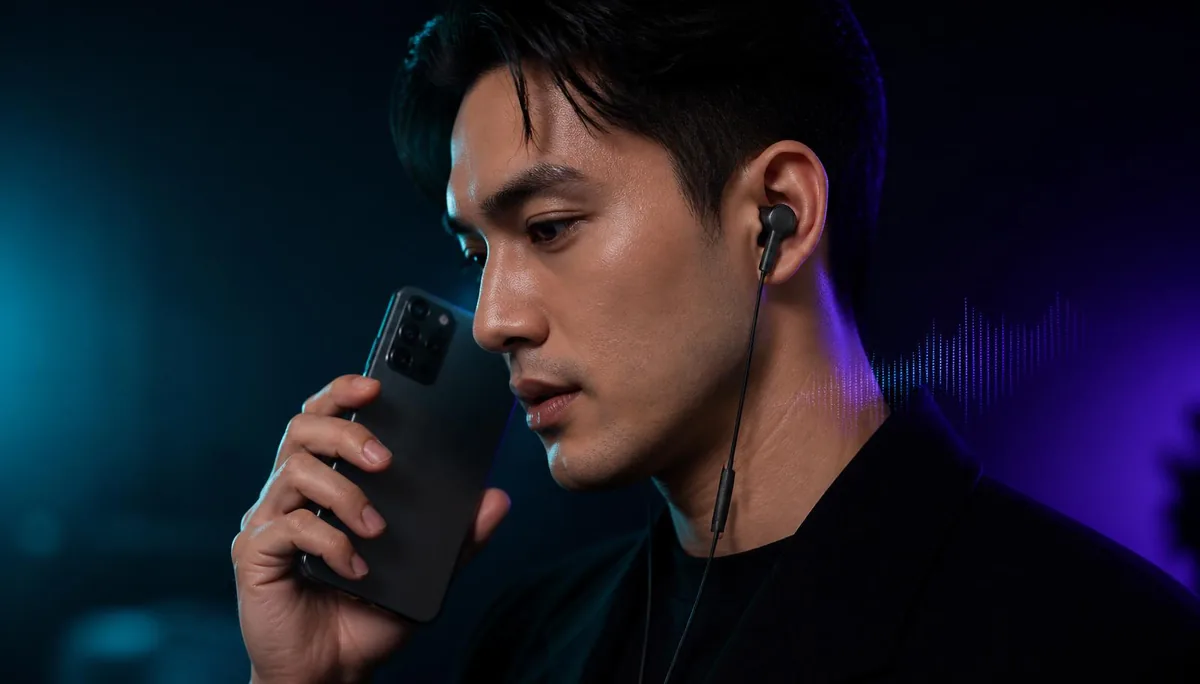
So can you use a voice changer during an Android phone call? Yes — but not from an app that sits alongside the dialer. The change has to happen earlier in the chain, before your voice arrives at the phone at all. That is the job Dubbing AI Voice Changing Earbuds were built for.
The current Earbuds connection and processing requirements
The Earbuds use wired USB-C audio and have no internal battery. Dubbing AI runs the voice model on the phone, sends the processed sound to the earbuds, and receives it back through USB-C microphone input. The app must remain running and the phone online throughout use. The app's device connection is separate from ordinary Bluetooth headset audio pairing.
What actually happens to your voice on an Android call
A cellular call is not the same kind of audio as a video you record or a Discord chat. When you dial a number, Android hands your microphone input to the telephony stack, which passes it to the modem and out over the carrier network. That route is managed by system-level components and the phone's firmware.
Third-party apps are deliberately excluded from that route. Android's audio framework treats the in-call microphone stream as a privileged source. An app can request microphone access for its own recording, but it cannot register itself as the microphone that the dialer reads from. There is no virtual input device for a normal app to publish.
This is a security decision, not an oversight. If any installed app could silently substitute what a caller hears, impersonation on phone calls would be trivial. Google has tightened background microphone access with each recent Android release rather than loosening it, so the gap is not going to reopen.
Why most Android voice changer apps stop at VoIP
App-based voice changers usually work in one of two ways. Either they record a clip, process it, and let you share the file, or they process audio inside their own app, where they control both ends of the pipeline. Neither approach reaches a carrier call.
That is why an app can look convincing in its own demo screen and then do nothing during a real call. The demo is playing your processed voice back to you through the speaker. The dialer never sees it.
| Audio path on Android | Can a normal app change it? | Why |
|---|---|---|
| Standard dialer / carrier call | No | Handled by the system telephony stack; no app-level microphone substitution. |
| WhatsApp, Telegram, Messenger calls | Usually no | Each app captures the hardware microphone directly inside its own sandbox. |
| Discord and game voice chat | Usually no | Same sandbox limit; some desktop workarounds have no mobile equivalent. |
| Recorded voice notes and clips | Yes | The file is processed after capture, so it is editing rather than live conversion. |
We covered how this plays out app by app in our roundup of voice changer apps for calls, and the pattern repeats on every messenger: the moment the audio has to enter another app's live microphone feed, software alone runs out of room.
The root route, and why it is rarely worth it
There is a technical way to force the issue. Rooting an Android phone and installing an audio-hooking module lets you intercept streams the system normally protects. Guides for this exist, and on some devices they do work.
- Rooting typically voids your manufacturer warranty and can fail mid-process, leaving the device unusable.
- Banking, payment and some streaming apps detect modified systems and refuse to run.
- System updates often break the module, so every patch turns into a repair session.
- Results vary by chipset and Android version — a module that works on one phone may do nothing on another.
For most people the cost is out of proportion to the goal. If you want a different voice on a phone call, disabling your bank app is a steep price. We took the same position when looking at messenger audio in our guide to a Telegram voice changer without root.
Changing your voice before the destination reads its microphone input hears it
The hardware route sidesteps the whole restriction. If your voice is already converted by the time it reaches the phone, the phone has nothing to block. It receives what it thinks is a plain microphone signal and sends that to the carrier like any other call.
Dubbing AI Voice Changing Earbuds do the conversion in the Dubbing AI app on the phone, in real time. As of September 2026, they support Type-C Android phones that accept USB-C audio input, including compatible Samsung Galaxy, Google Pixel, OnePlus, Xiaomi, OPPO, vivo and Motorola devices. Because processed output returns through USB-C microphone input, a dialer call, a WhatsApp call and game voice chat all receive the same converted signal.
Software has to ask Android for permission to touch your call audio. Hardware never has to ask, because the change already happened.
It also means no root, no developer options, no accessibility permissions and no system modification. Your phone stays stock, your banking apps keep working, and updates change nothing about the setup.
Setting it up on an Android phone
- 1Confirm that your Type-C Android phone supports USB-C audio input, then connect the Dubbing AI Earbuds and let the device register them as the active input and output.
- 2Install the Dubbing AI companion app and grant the microphone permission it asks for.
- 3Open the voice library and choose a voice from the 500+ available presets.
- 4Speak a test line and listen back so you know how the voice sits before anyone else hears it.
- 5Open your normal dialer and place the call as usual — no special mode, no separate calling app.
- 6If the other side hears your untouched voice, check that the phone is still routing input to the earbuds rather than the built-in microphone.
That last step covers most of the support questions we see. Android will sometimes fall back to the internal microphone after a USB-C reconnection or a headset unplug, and the fix is a routing change rather than anything to do with the earbuds.
Latency, voice choice and what the caller hears
Real-time conversion only feels natural if the delay stays low enough that a conversation keeps its rhythm. Dubbing AI Earbuds convert in around 300 ms, which is short enough for back-and-forth talking rather than the walkie-talkie feel that laggier setups produce.
On the receiving end, the caller hears a single continuous voice. They are not hearing your original tone underneath, because the calling app receives the processed USB-C input when routing is correct. What travels over the network is the converted signal, compressed by the carrier codec like any other call.
One practical note: carrier voice codecs are narrowband compared with app calls, so a voice that sounds detailed in the app preview will lose some of that texture on a cellular line. Trying two or three voices before an important call is worth the minute it takes.
When a voice changer is the wrong tool
Voice changing on calls has obvious legitimate uses: privacy on marketplace listings, character work for streams and recordings, roleplay with friends, or simply not wanting a stranger to hear your real voice. It also has uses that are not legitimate.
Do not use a converted voice to impersonate a real person, to pass yourself off as a company or an official, or to pressure someone into sending money or information. In many jurisdictions that is fraud regardless of the tool involved, and call recording rules vary by state and country. Check what applies where you are before recording anything.
Within those limits, the answer to the original question is straightforward. Android will not let an app rewrite your call audio, and it should not. Moving the conversion into the earbuds is what makes a real-time voice changer work on a standard Android phone call without touching the operating system at all.
Change your voice on any Android call
Dubbing AI Voice Changing Earbuds convert your voice in about 300 ms, with 500+ voices, on dialer calls, app calls and game chat. No root, no PC, no system changes.
Shop Dubbing EarbudsFrequently asked questions
Dubbing AI Team
Hardware & Voice AI
We build real-time voice changing hardware for gaming, streaming and calls.